
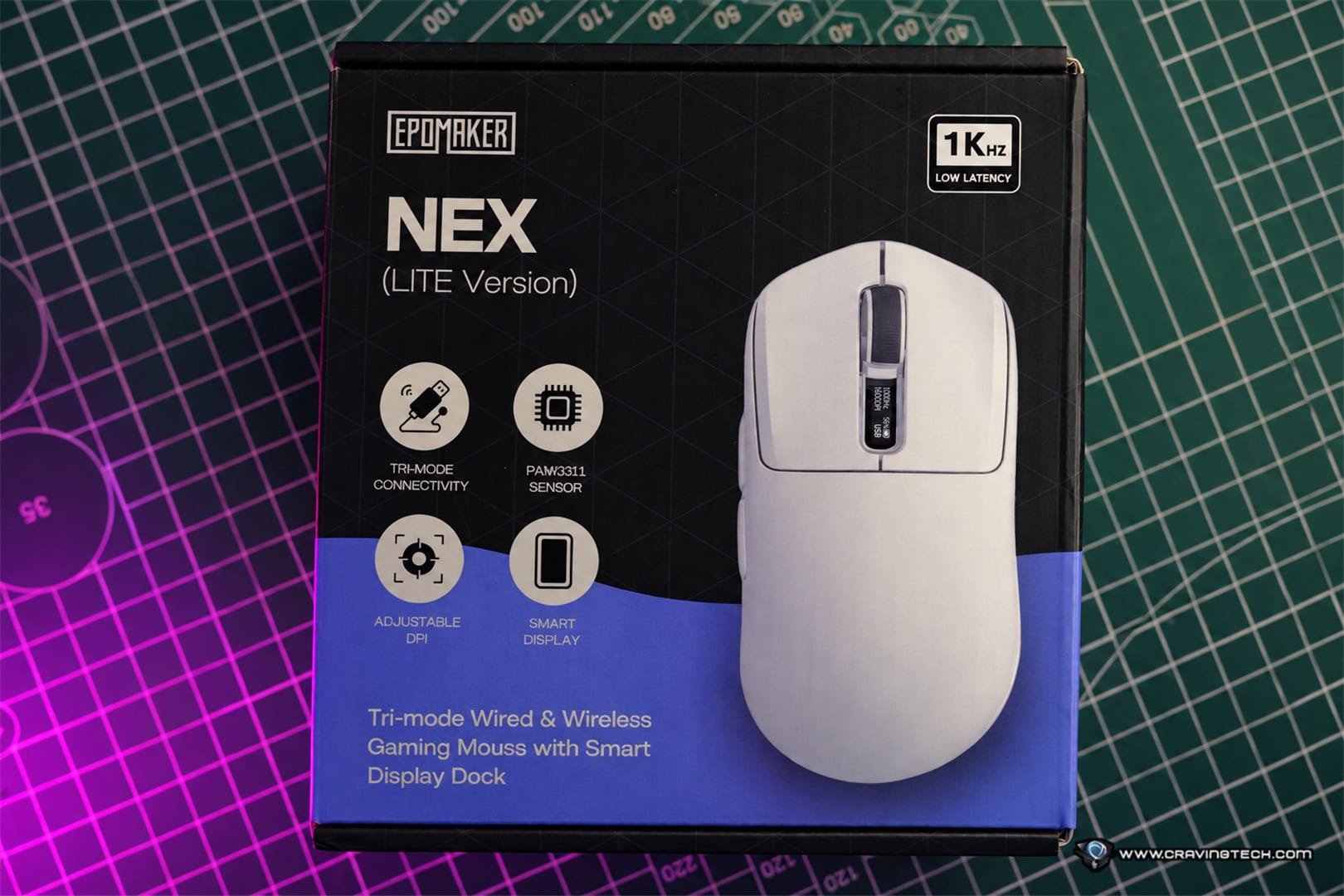
EPOMAKER NEX Lite Mouse Review – Gaming mice can get surprisingly expensive once you start adding lightweight construction, wireless connectivity, a charging dock, and high-performance sensors. The EPOMAKER NEX Lite takes a very different approach, packing almost everything you would expect from a much more expensive gaming mouse into a package that costs just US$35.99.
And when I say feature-packed, I mean it. You get tri-mode connectivity, a 1000Hz polling rate, an RGB charging dock, OLED displays on both the mouse and dock, a PAW3311 sensor, and a lightweight 65g design. After using the NEX Lite for both work and FPS gaming over the past week, it has turned out to be a surprisingly capable gaming mouse for the money.
Packaging and Unboxing
Design and ergonomics
The EPOMAKER NEX Lite has a clean and relatively understated design that I quite like. Even with the RGB lighting and OLED displays, it doesn’t look excessively flashy, and the matching charging dock makes the whole setup look quite neat on a desk.
At 12.2 x 6.5 x 4.2cm, the NEX Lite sits comfortably in the medium-sized mouse category. Its 4.2cm height gives it a noticeable hump that provides good palm support, while the right-handed ergonomic shape works particularly well with palm and claw grips. For someone with medium-sized hands, roughly around 17–19cm in hand length, the shape should feel quite natural. Those with smaller hands who prefer a fuller mouse may also find it comfortable.
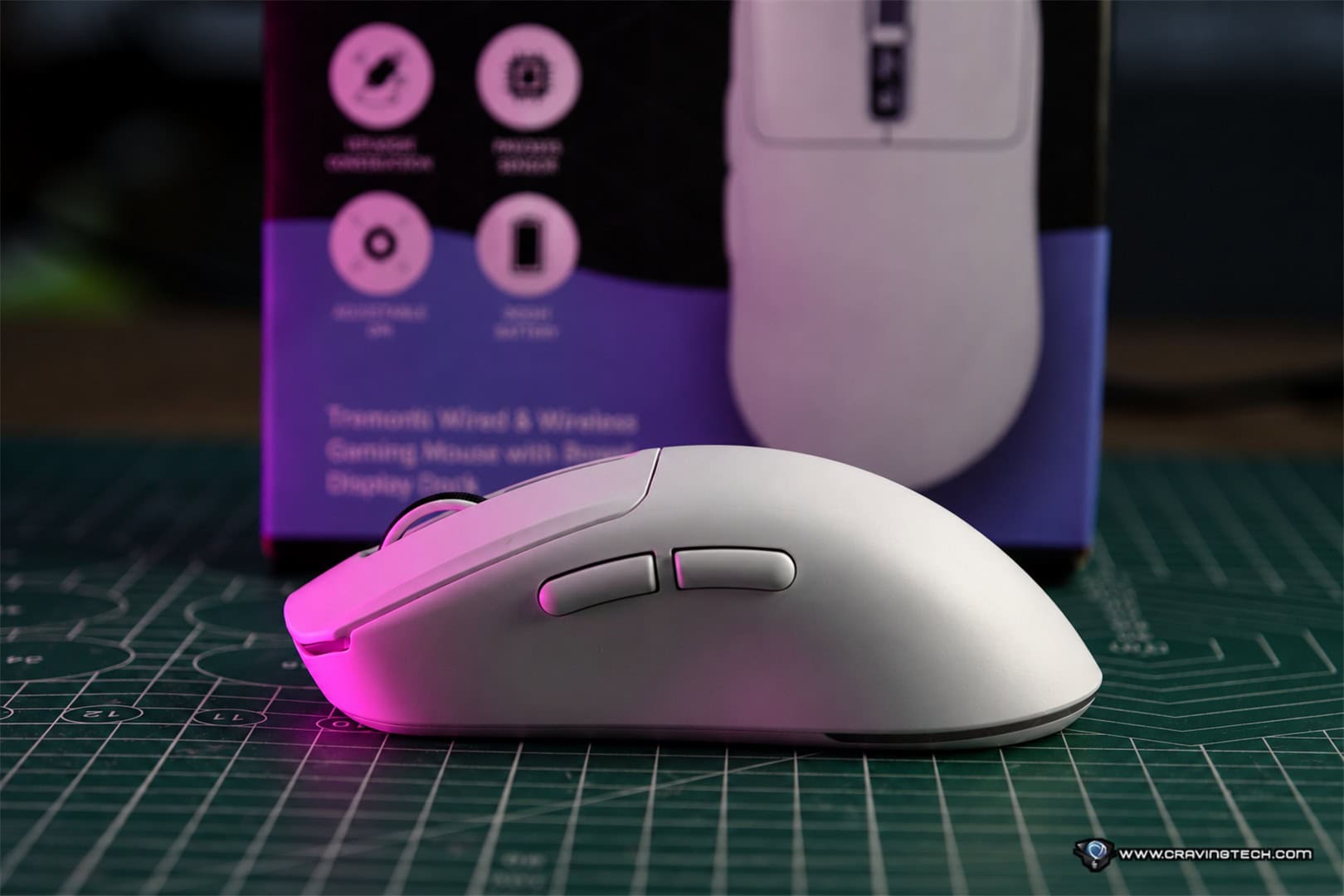

EPOMAKER officially lists the mouse at approximately 65g, although my unit measured 66g on the scale. That’s close enough to the advertised figure and still puts it comfortably in lightweight gaming mouse territory. Even if you are travelling with the charging dock, the mouse and dock together weigh around 125g based on my measurements. For professionals who travel regularly but still want to game on their laptop at night, that’s still very manageable.
The charging dock is more useful than expected
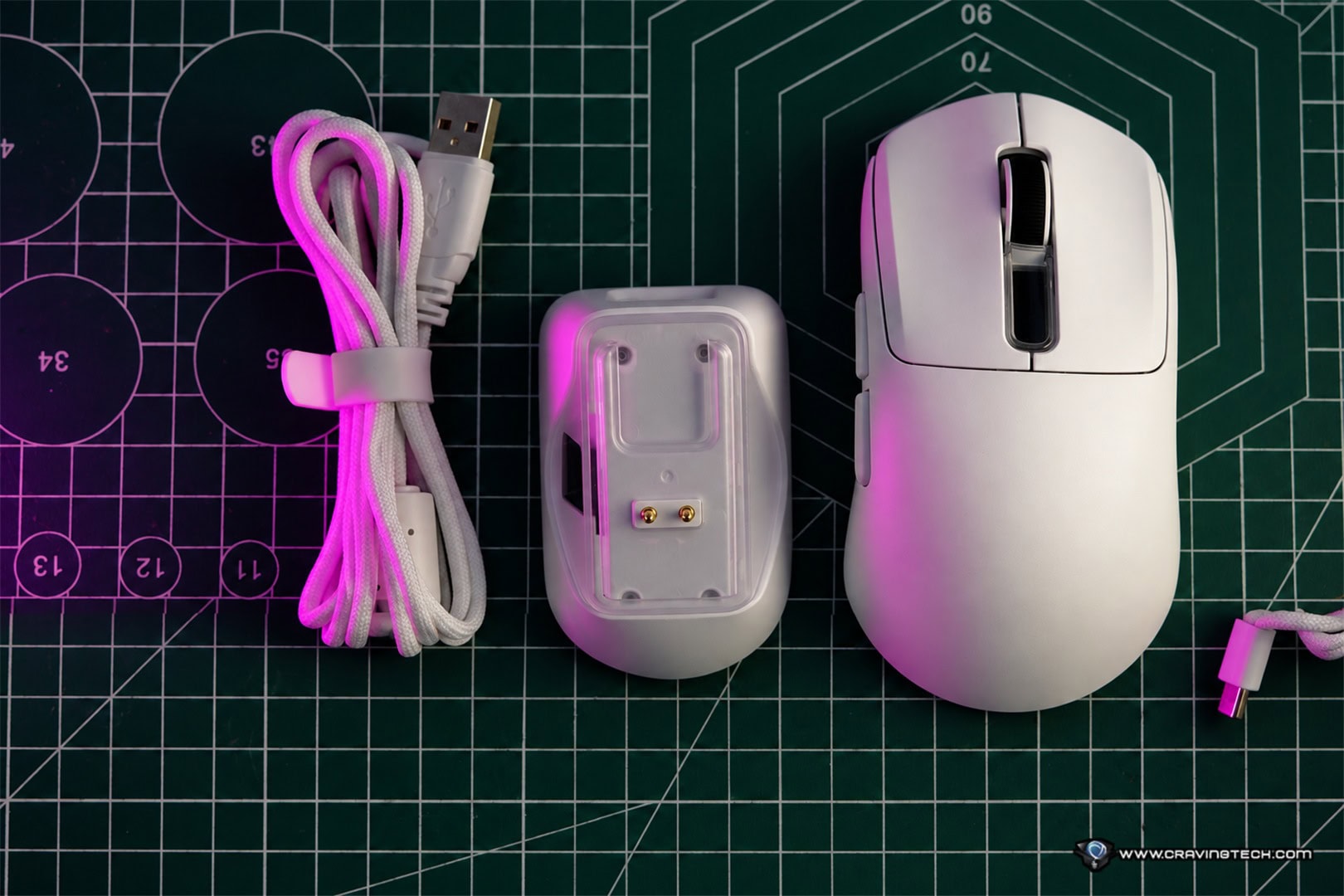
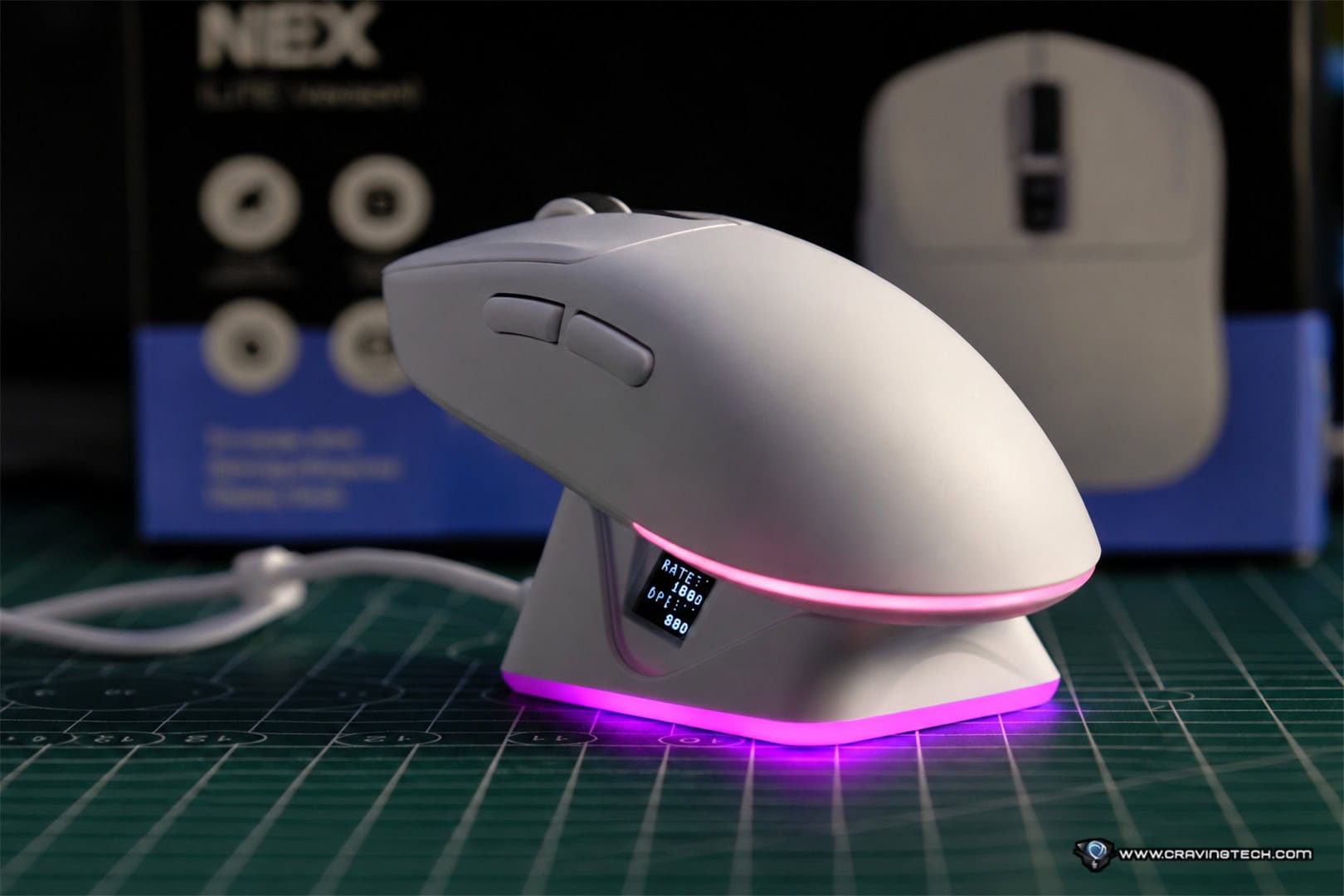
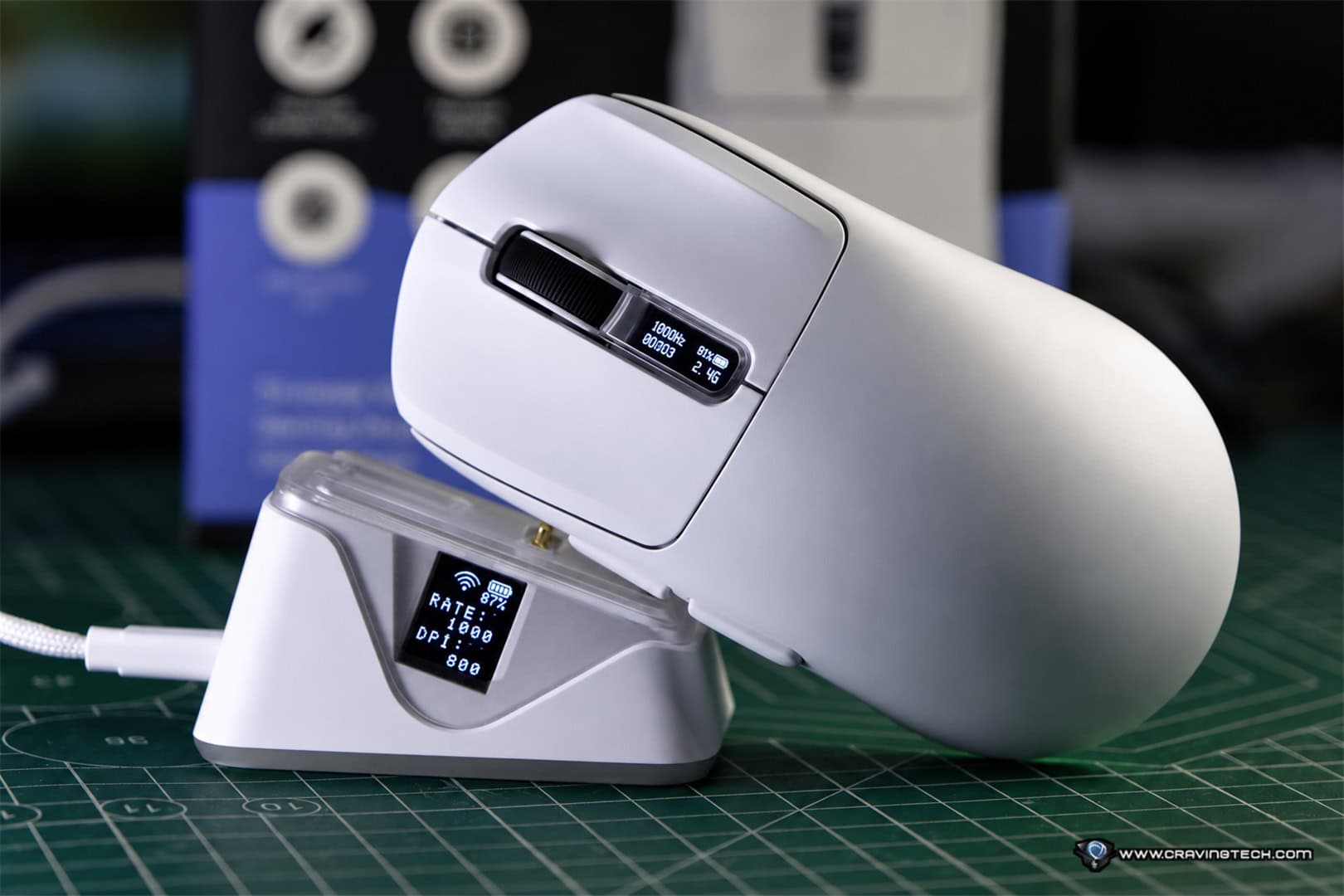
The included charging dock is easily one of the highlights of the NEX Lite. There is strong magnetic attraction when placing the mouse on the dock, so you don’t need to carefully line it up with the charging contacts. Bring the mouse close enough and the magnets basically pull it into the correct position.
The dock also features RGB lighting, along with a touch-sensitive control that lets you cycle through the lighting effects or switch them off completely. More importantly, the dock has its own OLED display. The mouse has one too. These displays show useful information such as the battery percentage, DPI, connection mode, and polling rate.
I really like this approach because with many gaming mice, checking something as simple as your current DPI or battery percentage means opening the manufacturer’s software. Here, I can simply look at the mouse or dock. The battery indicator on the dock is particularly handy. Before starting a gaming session, I can immediately see whether the mouse is fully charged or whether I should leave it on the dock for a while longer.
Solid buttons and an excellent scroll wheel
Cheap gaming mice often reveal where the cost savings were made as soon as you start clicking their buttons. The left and right buttons can sometimes move sideways or wobble during rapid clicking, which immediately makes the mouse feel cheaper than it needs to. Thankfully, that isn’t the case here.
The left and right clicks on the NEX Lite feel surprisingly solid for a mouse at this price. There is no noticeable instability when rapidly clicking, and the overall button construction feels better than I was expecting from a US$35 gaming mouse. EPOMAKER rates the switches for 20 million clicks.
After a week of playing FPS games with the NEX Lite, however, one of my favourite parts of the mouse is actually its scroll wheel. It feels very solid while remaining light and easy to operate. This is particularly useful if, like me and many Counter-Strike players, you like binding jump to the scroll wheel. Repeated scrolling feels controlled without requiring much force.
PAW3311 gaming performance
Inside the NEX Lite is a PAW3311 optical sensor supporting up to 12,000 DPI, 300 IPS tracking speed, and 35G acceleration. There are six preset DPI stages: 400, 800, 1600, 3200, 5600, and 12,000 DPI. The default is 1600 DPI.
For gaming, I primarily used the 2.4GHz wireless connection, which supports a polling rate of up to 1000Hz. EPOMAKER also specifies 1ms latency for both wired USB and 2.4GHz operation, while Bluetooth runs at 125Hz and is better suited to general productivity rather than competitive gaming.
A 1000Hz polling rate means the mouse can report its position to the PC up to 1,000 times per second. While you can certainly buy much more expensive gaming mice with 4000Hz or even 8000Hz polling these days, 1000Hz remains perfectly suitable for the vast majority of gamers.
I tested the NEX Lite mainly with Counter-Strike 2 and Valorant, where consistent tracking matters significantly more to me than simply having a huge DPI number. Paired with an Artisan mousepad, the NEX Lite responded accurately during fast left and right flicks. Tracking felt precise and predictable, making it easy to stop the crosshair where I wanted it rather than fighting against overshooting or inconsistent sensor behaviour.

The combination of its lightweight body, 1000Hz polling rate, PAW3311 sensor, and responsive 2.4GHz connection makes the NEX Lite perfectly capable of handling FPS gaming.
Obviously, this isn’t intended to compete technically with flagship esports mice equipped with something like PixArt’s PAW3950 and 8000Hz polling. EPOMAKER itself positions its more expensive NEX Pro above the NEX Lite with exactly those sorts of specifications. But considering the price difference, I don’t think the NEX Lite needs to.
Three ways to connect
The NEX Lite supports three connection modes: 2.4GHz wireless, Bluetooth 5.0, and wired USB-C. The 2.4GHz receiver is integrated into the charging dock, which also helps keep the setup tidy.
For gaming, 2.4GHz is the obvious choice because it supports the full 1000Hz polling rate. Bluetooth is limited to 125Hz but works well for productivity, tablets, laptops, and situations where maximum responsiveness isn’t important. You can also connect through USB-C and continue using the mouse while charging.
When left idle, the mouse automatically goes into a sleep state to conserve battery. As soon as I move or use it again, both the mouse and wireless connection wake almost immediately. In everyday use I haven’t found myself waiting for the mouse to reconnect.
Battery life and charging
The NEX Lite contains a 500mAh battery. EPOMAKER doesn’t appear to provide a specific battery-life figure on its current product page, so this will depend heavily on your usage pattern and lighting settings. In my normal combination of working and gaming over 2.4GHz wireless, I generally managed around three to five days before needing to recharge.
A full charge took approximately three hours in my testing, whether I charged directly through USB or placed the mouse on its dock. The dock makes battery life much less of an issue anyway. Instead of remembering to connect a USB cable every few days, I simply place the mouse back on its dock when I’m finished.
Browser-based software
Another interesting feature is EPOMAKER’s software approach. Rather than requiring you to install another dedicated Windows application, the NEX Lite can be configured through EPOMAKER’s browser-based software. This is similar to what CORSAIR has been doing, though it doesn’t support all devices yet.
From there, you can adjust DPI settings, remap buttons, create macros, and modify other mouse parameters. Settings can also be stored in the mouse’s onboard memory. EPOMAKER recommends a Chromium-based browser, with its current support documentation listing Chrome and Edge for the online configurator.
There are five programmable buttons available. I like having a browser-based configuration tool because once your settings are configured and saved, there isn’t much reason to keep another peripheral application running permanently in the Windows system tray.
EPOMAKER NEX Lite Mouse Review Conclusion
The EPOMAKER NEX Lite is one of those inexpensive gaming products where I kept wondering what had actually been sacrificed to reach the price.
There are certainly technically superior gaming sensors and much higher polling rates available if you’re prepared to spend considerably more. But for everyday gaming, including competitive FPS titles, the NEX Lite delivers solid tracking, responsive 2.4GHz wireless performance, a lightweight 66g measured body, and surprisingly good buttons.
Then there are all the extras. You get an RGB charging dock with strong magnetic docking, an OLED display on the dock, another OLED display on the mouse, tri-mode connectivity, browser-based configuration, programmable buttons, and a 1000Hz polling rate. The OLED displays make it easier to check your DPI, polling rate and battery level, while the magnetic charging dock is something I ended up appreciating every day.
The scroll wheel has also become one of my favourite aspects of the mouse. It’s light, controlled, and particularly enjoyable for FPS players who use their scroll wheel for jumping.
At US$35.99, the EPOMAKER NEX Lite Mouse offers a remarkable amount for the money. It isn’t trying to be a flagship esports mouse, and it doesn’t need to be. For casual gamers, FPS players on a budget, or anyone who wants an affordable wireless gaming mouse that doesn’t feel cheap, there’s very little to complain about here.
Disclosure: EPOMAKER NEX Lite review sample was supplied for reviewing
EPOMAKER NEX Lite Gaming Mouse Review
Overall
Summary
The EPOMAKER NEX Lite is an impressively feature-packed and responsive wireless gaming mouse for the price, combining solid FPS performance, a lightweight design, useful OLED displays, and a convenient magnetic RGB charging dock.
Pros
- Excellent value at around US$35
- Lightweight 66g measured weight
- Solid left and right mouse buttons
- Excellent-feeling scroll wheel
- Accurate tracking during FPS gaming
- Useful OLED displays on both mouse and charging dock
- Strong magnetic charging dock
- Tri-mode wireless, Bluetooth and wired connectivity
- Browser-based configuration rather than mandatory installed software
Cons
- PAW3311 and 1000Hz polling are below flagship gaming-mouse hardware
- Right-handed ergonomic design


