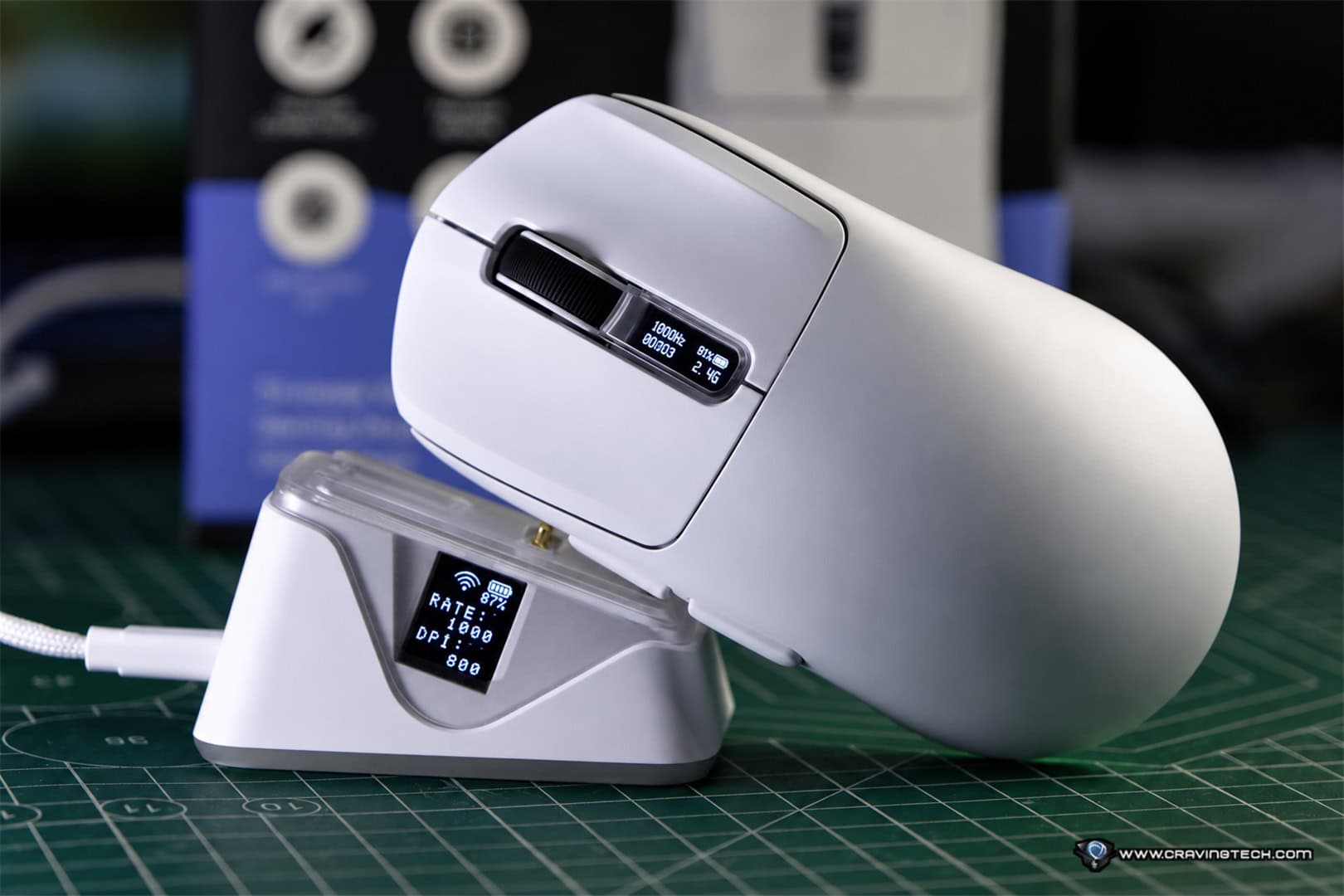
The Logitech G PRO X3 SUPERSTRIKE wireless gaming mouse improves upon its predecessor with a lighter, more balanced design, an upgraded HERO 2 sensor, a new NxLOGI chipset, and considerably better battery life. But after spending time with the mouse, I can confidently say that the biggest improvement isn’t necessarily something you’ll notice by looking at the specifications. It’s the weight distribution.
I previously reviewed the Logitech G PRO X2 SUPERSTRIKE and, while I enjoyed its advanced click customisation and overall performance, there was one thing that bothered me. The mouse felt noticeably heavier towards the front, which wasn’t particularly ideal for my fingertip grip.
The new PRO X3 SUPERSTRIKE addresses that complaint with a much more balanced weight distribution across its body. Combined with the existing Haptic Inductive Trigger System (HITS) and several hardware upgrades, the mouse now feels much better to use.
At A$299.95, it’s still an expensive wireless gaming mouse, but the improvements make it a more attractive option for competitive gamers, particularly those who weren’t entirely satisfied with the handling of its predecessor.
Logitech G PRO X3 SUPERSTRIKE REVIEW – PACKAGING CONTENTS AND UNBOXING


The Logitech G PRO X3 SUPERSTRIKE comes with a LIGHTSPEED wireless receiver, USB-A to USB-C charging and data cable, receiver extension adapter, POWERPLAY aperture door, optional grip tape, cleaning cloth, and documentation.
The included grip tape is useful for players who want extra grip during long gaming sessions (though I find that I don’t need any), while the receiver extension adapter allows the wireless receiver to be positioned closer to the mouse (to reduce any latencies).
Logitech G PRO X3 SUPERSTRIKE REVIEW – DESIGN AND FEATURES

At first glance, the Logitech G PRO X3 SUPERSTRIKE doesn’t look dramatically different from the previous model. It retains the familiar symmetrical design of Logitech G’s PRO Series, with a simple, understated appearance focusing on competitive gaming rather than unnecessary visual distractions. The mouse measures 125mm long, 63.5mm wide, and 40mm high, with a weight of just 59 grams. This makes it 2 grams lighter than the previous PRO X2 SUPERSTRIKE.
With a fingertip grip, I rely heavily on my fingers to control the mouse, including making small adjustments and quick movements. And the PRO X3 supports me on this department.
There is still no RGB backlighting on the PRO X3 SUPERSTRIKE, but that’s perfectly fine with me. Professional gamers don’t need colourful lighting on their mouse, and I’d much rather have a lightweight wireless gaming mouse with longer battery life. The clean design is also perfectly suited to Logitech G’s esports-focused PRO Series.
One of the coolest features of the PRO X2 SUPERSTRIKE was Logitech G’s Haptic Inductive Trigger System, or HITS. Thankfully, this technology makes a return on the PRO X3 SUPERSTRIKE, with optimisations to its internal hardware. Instead of relying on conventional mechanical mouse switches, HITS uses inductive sensing to detect button movement and a separate haptic system to provide tactile feedback.
The biggest advantage is that you can customise how far you need to press the main mouse buttons before a click registers. There are 10 different actuation points available for each main button, alongside five Rapid Trigger reset settings. This gives you control over how quickly a button activates and how quickly it can register another click. For competitive gaming, particularly fast-paced FPS titles, this flexibility can be very useful.
If you prefer your mouse clicks to register with minimal finger movement, you can configure a shorter actuation distance. Alternatively, if you occasionally press your buttons accidentally, you can increase the distance to make the clicks feel more deliberate.
The Rapid Trigger functionality also allows the buttons to reset dynamically, making repeated clicking more responsive without requiring the buttons to return fully to their original positions. Logitech G claims HITS can reduce click latency by up to 30 milliseconds under certain conditions, although the actual benefit will vary according to the settings and how you use the mouse.


The PRO X3 SUPERSTRIKE also offers six haptic feedback intensity settings for each main mouse button, allowing you to adjust how the click actually feels. Personally, I prefer more tactile feedback when clicking. I like being able to feel a distinct response from the mouse whenever I press a button, rather than having a click that feels too light or subtle. With the PRO X3 SUPERSTRIKE, I can customise the haptic feedback to match that preference.
And if you’re not entirely sure which settings to use, Logitech G HUB provides presets, including configurations used by professional gamers – which is pretty useful if you are new to HITS technology. Rather than adjusting every setting manually and hoping for the best, you can start with a preset and familiarise yourself with how different actuation points and haptic intensities feel. Once you’ve become comfortable with the system, you can fine-tune everything according to your own preferences.
I really like this approach because the number of available settings could otherwise feel overwhelming. Having presets makes the experience more approachable without taking away the advanced customisation options.
Logitech G PRO X3 SUPERSTRIKE REVIEW – GAMING PERFORMANCE
Upgraded HERO 2 Sensor
The Logitech G PRO X3 SUPERSTRIKE comes equipped with an upgraded HERO 2 optical sensor, supporting up to 48,000 DPI, tracking speeds exceeding 930 IPS, and acceleration above 90G. Compared this with the previous PRO X2 SUPERSTRIKE, which supported up to 44,000 DPI, 888 IPS, and 88G.
The previous model already had an excellent sensor, so it’s not surprising that the improvements aren’t immediately obvious during normal gameplay. Both mice offer great tracking performance. Nevertheless, it’s good to know that Logitech G continues to refine the sensor and improve its tracking accuracy and responsiveness.
If you’re playing games professionally, having the latest high-performance equipment can certainly be beneficial, especially when every small advantage matters. Of course, an upgraded sensor alone won’t magically make you a better player, but it does remove one potential limitation from your equipment.
I’ve been using the Logitech G PRO X3 SUPERSTRIKE to play Overwatch and Call of Duty: Modern Warfare 4, although Overwatch is definitely where I put the mouse through its paces. Overwatch requires plenty of fast movements, quick reactions, and accurate aiming, making it a great game for testing a competitive wireless gaming mouse.
Here’s an example of Overwatch gameplay with the Logitech G PRO X3 SUPERSTRIKE:
Thanks to the much-improved weight distribution, I no longer have the complaints I had with the previous model. Moving the mouse around feels natural, and performing quick swipes is both easy and enjoyable. The sensor tracking is accurate, and I never feel like the mouse is getting in the way of my movements. For someone who prefers a fingertip grip like myself, this is particularly important.
Another major upgrade is Logitech G’s new NxLOGI chipset, which replaces the previous-generation processing hardware. The chipset improves energy efficiency, wireless performance, and processing latency. The PRO X3 SUPERSTRIKE also supports up to 8,000Hz polling through both LIGHTSPEED wireless and wired USB-C connections. The previous PRO X2 SUPERSTRIKE already supported 8,000Hz polling wirelessly, but its maximum wired polling rate was limited to 1,000Hz. This means the X3 can now maintain the same maximum polling rate regardless of whether you’re playing wirelessly or using a cable.
The new chipset also contributes to slightly improved sensor and click latency compared with the X2. Again, these aren’t necessarily improvements that I could clearly distinguish during gameplay. However, when combined with the redesigned weight balance and upgraded sensor, the PRO X3 SUPERSTRIKE feels like a more complete package.
Logitech G HUB Software and DPI Calibration


Logitech G HUB remains an important part of the PRO X3 SUPERSTRIKE experience. In addition to the usual DPI adjustments, polling rate configuration, and button assignments, G HUB provides extensive control over HITS technology. You can adjust the actuation point, Rapid Trigger reset distance, and haptic feedback strength for each main mouse button.
Another useful feature is the ability to calibrate the PRO X3 SUPERSTRIKE to match the sensitivity of your previous mouse. This is particularly handy when switching from another gaming mouse, as the same DPI setting doesn’t always translate into exactly the same sensitivity in practice. With G HUB’s sensor calibration functionality, you can match the new mouse’s tracking behaviour more closely to your previous mouse.
This makes the transition much easier because you don’t have to spend as much time trying to recreate a sensitivity setting you’ve already become comfortable with. You can also save your preferred configurations to the mouse’s onboard memory, making it easier to maintain consistent settings when moving between computers.
Thanks to the new NxLOGI chipset, Logitech G claims power consumption has been reduced by approximately 50% compared with the previous model. As a result, the rated battery life has increased from 90 hours on the PRO X2 SUPERSTRIKE to an impressive 135 hours on the X3. That’s an additional 45 hours of usage on a single charge. That’s pretty awesome.
The mouse can be charged through USB-C and also supports Logitech G’s POWERPLAY wireless charging technology with compatible accessories, which are sold separately.
Logitech G PRO X3 SUPERSTRIKE REVIEW CONCLUSION

The Logitech G PRO X3 SUPERSTRIKE is a great example of how relatively small hardware changes can make a substantial difference to the overall gaming experience. While the new NxLOGI chipset, upgraded HERO 2 sensor, and longer battery life are all great improvements, it’s the more balanced weight distribution that truly makes the X3 stand out from its predecessor. As a fingertip-grip gamer, this was my biggest complaint with the PRO X2 SUPERSTRIKE, and I’m glad Logitech G has addressed it.
The PRO X3 SUPERSTRIKE now feels significantly better to use, particularly during fast-paced games such as Overwatch. The accurate sensor, lightweight construction, comfortable handling, and highly customisable HITS technology make it a joy to use.
I also love the flexibility of adjusting how each mouse click feels, especially being able to increase the tactile feedback to suit my preferences. The professional gamer presets and DPI calibration functionality make the customisation experience even better. At A$299.95, this isn’t a mouse for everyone. Casual gamers may find the price difficult to justify, particularly when plenty of excellent wireless gaming mice cost considerably less.
However, for competitive players who appreciate precise tracking, adjustable click behaviour, and a lightweight, balanced design, the Logitech G PRO X3 SUPERSTRIKE has plenty going for it. If you’re coming from the PRO X2 SUPERSTRIKE, the upgrades might seem relatively modest on paper. But for me, the improved weight distribution alone makes the X3 a far more enjoyable gaming mouse.
And that, combined with everything else Logitech G has improved, makes the PRO X3 SUPERSTRIKE an easy recommendation for serious FPS gamers.
Disclosure: Logitech G PRO X3 SUPERSTRIKE review sample was supplied for reviewing
Logitech G PRO X3 SUPERSTRIKE Review
Overall
Summary
The Logitech G PRO X3 SUPERSTRIKE delivers a much better-balanced lightweight design, excellent gaming performance, highly customisable mouse clicks, and longer battery life
Pros
- Significantly improved weight distribution, mouse feels perfect now
- Lightweight 59g design
- Accurate upgraded HERO 2 optical sensor
- Highly customisable HITS actuation and Rapid Trigger settings
- Adjustable haptic feedback with useful professional gamer presets
- Up to 135 hours of rated battery life
- Up to 8,000Hz polling through wired and wireless connections
- Convenient DPI calibration for switching from another mouse
Cons
- Extensive HITS customisation may be unnecessary for casual gamers