The Tapo H110 is a smart IR and IoT hub that gives older appliances app control without replacing them. I ended up pairing it with the Daikin air conditioner in my sons’ room, and that simple change has proved more useful to our family than a long list of smart home features on paper.
My sons are six and two. Sometimes we stay out for dinner or visit friends until late, and they fall asleep in the car on the way home. Being able to turn on the air conditioner, or the heating in winter, before we arrive means their room is ready when we carry them inside (still asleep). And that’s achievable with Tapo H110.
Tapo H110 REVIEW – PACKAGING CONTENTS
The H110 is a compact hub measuring 79 × 79 × 32 mm. TP-Link lists the hub, a 3M adhesive pad, a USB-A to USB-C power cable and a quick start guide in the box. You need to provide a 5V/2A USB power adaptor separately (or in our case, plugged it to a power board with USB) which is worth knowing before you decide where to install it.
Tapo H110 REVIEW – DESIGN AND FEATURES
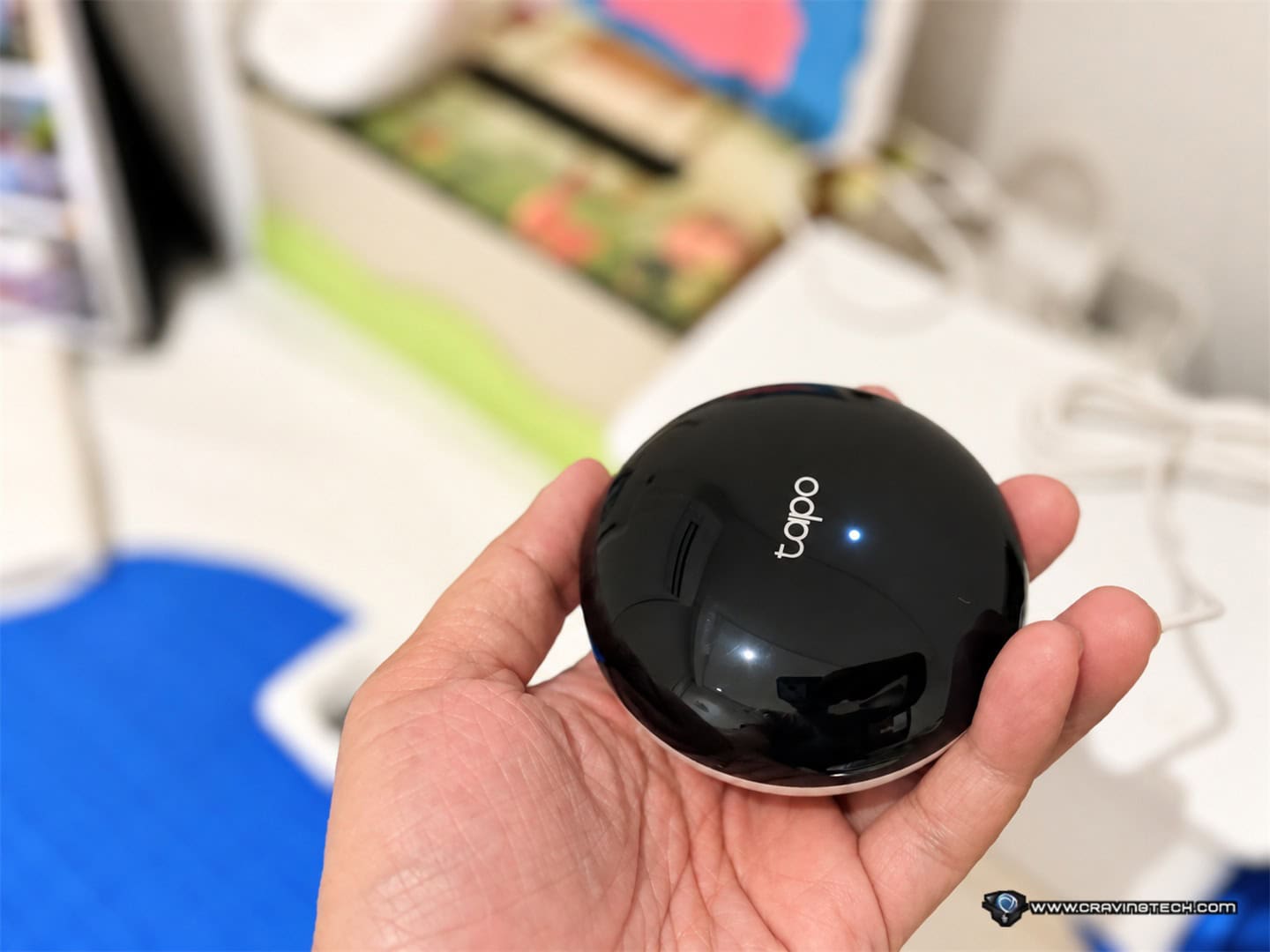
The H110 combines two roles. As an infrared remote, it sends commands to compatible appliances such as air conditioners, TVs and fans. It also acts as a hub for compatible Tapo sensors, so you can bring those devices and IR appliances into Tapo’s smart home routines. TP-Link says its IR database covers 18 device types and more than 8,000 brands, with updates every three months. That is a useful starting point, although a brand appearing in the database does not guarantee every function on every model will be supported.
Pairing my Daikin air conditioner was surprisingly quick. The process took seconds in my case, and the Tapo app made it easy to find the appliance and get started. Pairing several appliances would naturally take longer, but getting the first one running did not involve a manual at all. It’s pretty self-explanatory.


The app is straightforward once everything is connected. It gives me the control I need without burying it among too many options, while still offering schedules and Smart Actions. You can, for example, set an appliance to turn on or off at a certain time or use compatible Tapo devices as triggers. TP-Link also advertises location-based control which is pretty awesome if you want full automation.
For me, remote access is the feature that matters most. I can switch on the kids’ room air conditioner while we are travelling home instead of waiting until we arrive and then trying to settle them in a room that is still too warm or cold. An older air conditioner can therefore fit into a modern routine without the cost or hassle of replacing a working unit.


Placement and everyday use
I placed the H110 on a desk in the kids’ room. It did not need to sit right next to the air conditioner, and a few objects around it did not prevent it from working in my setup. That makes it fairly easy to find a convenient spot near a power source.
It still uses infrared, though, and placement matters. You need a reasonably clear path to the appliance, much as you would with an ordinary remote. If you hope to control devices in separate rooms or around several walls, one H110 will not reach all of them. You may need another H110 unit in a better position. An open-plan room gives you more options, but I would check the sight lines to each appliance before assuming a single hub can cover the whole home.
Matter certification adds another route for integrating the H110 with a broader smart home. TP-Link says the hub can bring compatible IR appliances and Tapo sensors into ecosystems such as Apple Home, Google Home, Alexa and SmartThings. A compatible Matter controller is required for setup in those ecosystems; Apple Home, for example, requires an up-to-date HomePod or Apple TV.
There are other possible uses beyond an air conditioner. A compatible TV or fan could be added to a schedule, for instance. An IR-controlled gate is an interesting idea if its specific remote and commands are supported. I didn’t bother to try this to our Bardi’s automated gate as I already have it set-up with a Bardi Wi-Fi module and Siri. But that’s definitely a possibility here. I would also avoid setting a gate to open automatically without considering who or what may be in its path.
There is also a learning mode in case your appliance is not directly supported so you can try pairing its remote with the H110 app.
Tapo H110 REVIEW CONCLUSION
At A$49 on Tapo’s Australian store at the time of writing, the Tapo H110 makes a worthy purchase when you already have an appliance you like but wish you could control remotely. My Daikin air conditioner paired quickly, the app has been easy to use, and switching it on before bringing my sleeping sons home is a benefit I actually use. You may have other appliances in mind that you’d wish can be included in your smart home set up.
The good thing about using Tapo H110 is that it doesn’t matter what brand are your appliances or what their ecosystems are. If they are supported, then you can add and bring them into your current home integration.
The Tapo H110 basically gives your old ‘dumb’ appliances a smart new life.
Disclosure: Tapo H110 review sample was supplied for reviewing
Tapo H110 Review
Overall
Summary
The Tapo H110 makes any older appliances to be part of your smart home
Pros
- Quick pairing with dumb appliances at home as long as you have the remote
- Compatible with many devices, also have learning mode
- Can add many devices as long as it has clear path for the IR blaster
- Intuitive and user-friendly Tapo app
- Schedules and Smart Actions expand what older appliances can do
- Compact enough to place on a desk
- Can also serve as a hub for compatible Tapo sensors
Cons
- Doesn’t come with a USB power adaptor
- Compatibility and available commands depend on the appliance, but there’s learning mode