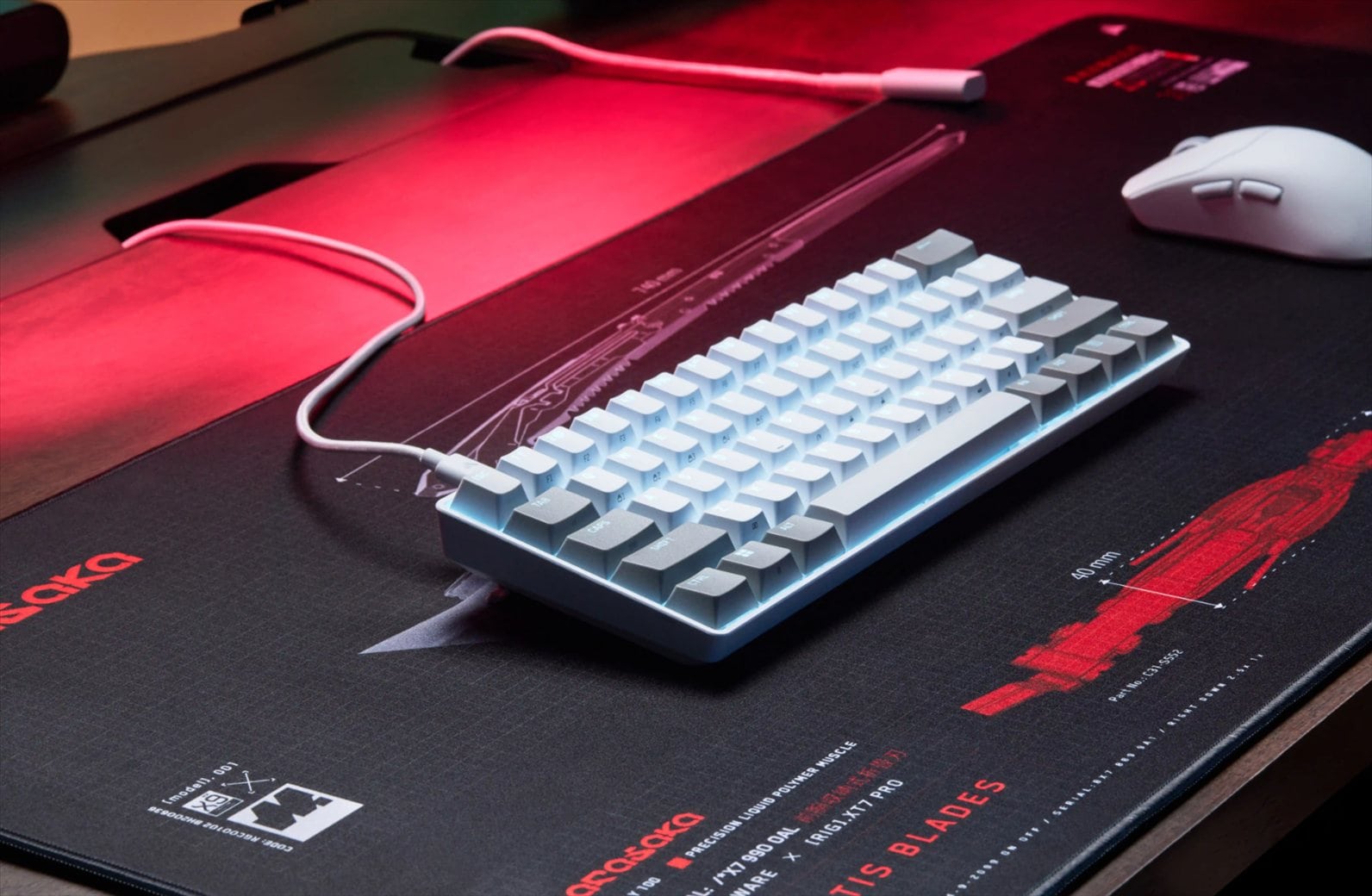
Gaming keyboards equipped with Hall Effect magnetic switches used to come with a fairly hefty price tag, especially if you wanted features like Rapid Trigger, adjustable actuation points, and SOCD (Simultaneous Opposing Cardinal Directions). Thankfully, things have changed, and the EPOMAKER HE68 Lite is a good example of how these technologies are becoming more accessible to gamers on a tighter budget.
Priced at around $49.99, or approximately $42 when discounted, the EPOMAKER HE68 Lite is a compact 65% gaming keyboard that packs several features commonly associated with more expensive models. These include an 8000Hz polling rate, Rapid Trigger, Snap Key, Dynamic Keystrokes (DKS), and plenty of customisation options through the EPOMAKER Hub software.
EPOMAKER hasn’t focused entirely on gaming performance. The HE68 Lite is also designed to deliver a satisfying, creamy typing sound, making it a potentially attractive keyboard for those who spend their days working and their evenings gaming. After spending time with the keyboard, I found that it offers considerably more than its affordable price might suggest.
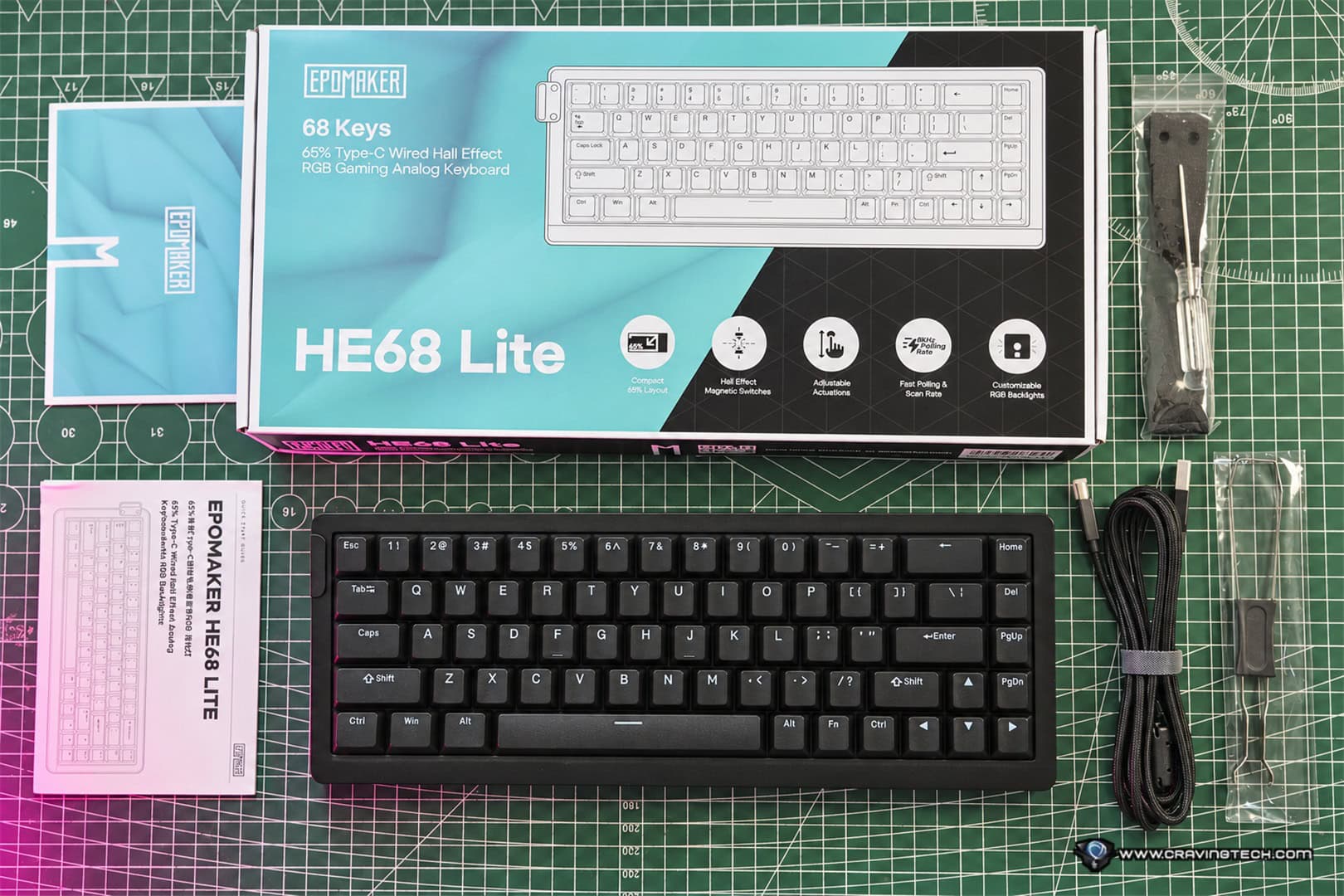
EPOMAKER HE68 Lite Review – Unboxing and Packaging Contents
EPOMAKER HE68 Lite Review – Design and Build Quality
The EPOMAKER HE68 Lite features a 65% compact layout with 68 keys, removing the dedicated function row and number pad while retaining the arrow keys and several essential navigation keys. For gamers, this layout makes plenty of sense, as it frees up desk space for larger mouse movements, particularly when playing FPS games at lower mouse sensitivities.
Measuring 32.2 cm in length, 12 cm in width, and 4 cm in height, the keyboard is relatively compact and weighs approximately 650 grams. This makes it reasonably easy to carry between different gaming setups, whether you’re heading to a LAN party, travelling, or simply moving between your home and office.
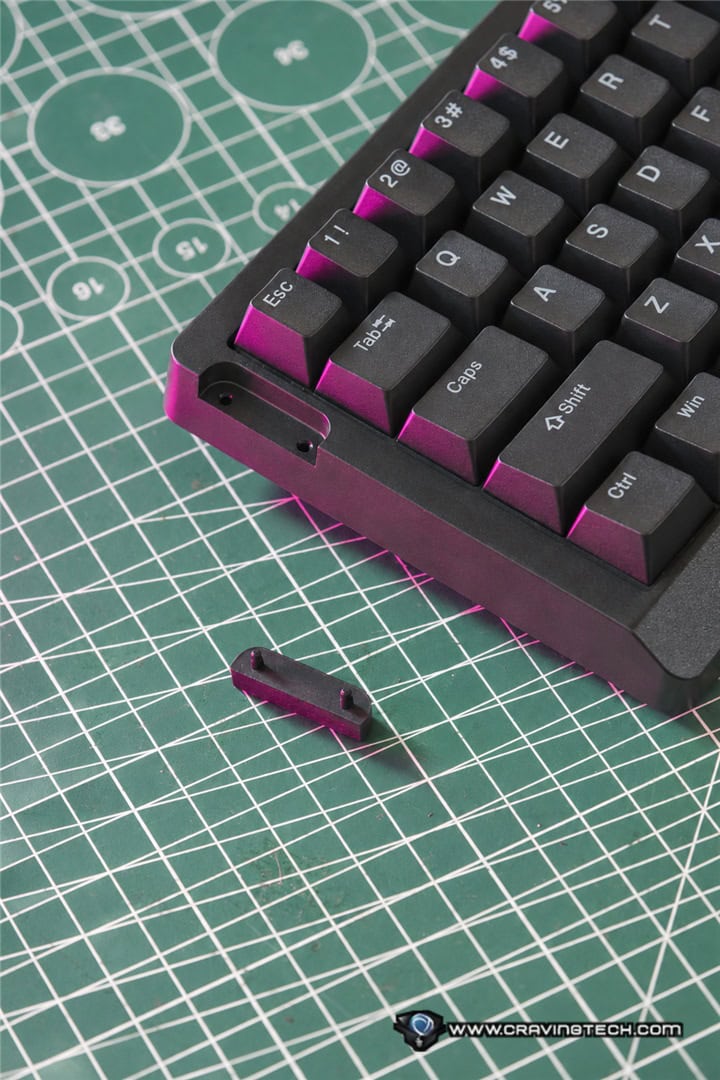
One interesting design addition is the attachment point on the left side of the keyboard for a detachable carrying strap. It’s not something you normally see on a gaming keyboard, but it’s a thoughtful touch that reinforces the HE68 Lite’s portable nature. The strap can be attached or removed depending on your preference. This makes it even easier to carry around.
The keyboard uses an ABS plastic casing with a polycarbonate plate and a tray-mounted structure. At this price point, a plastic construction is understandable, and EPOMAKER has clearly prioritised functionality and typing acoustics over more premium materials such as aluminium. Despite its affordable construction, the keyboard feels thoughtfully designed. In fact, when typing on it, you might not even realise that it’s using a tray-mounted structure, as the sound and feel are surprisingly refined.\
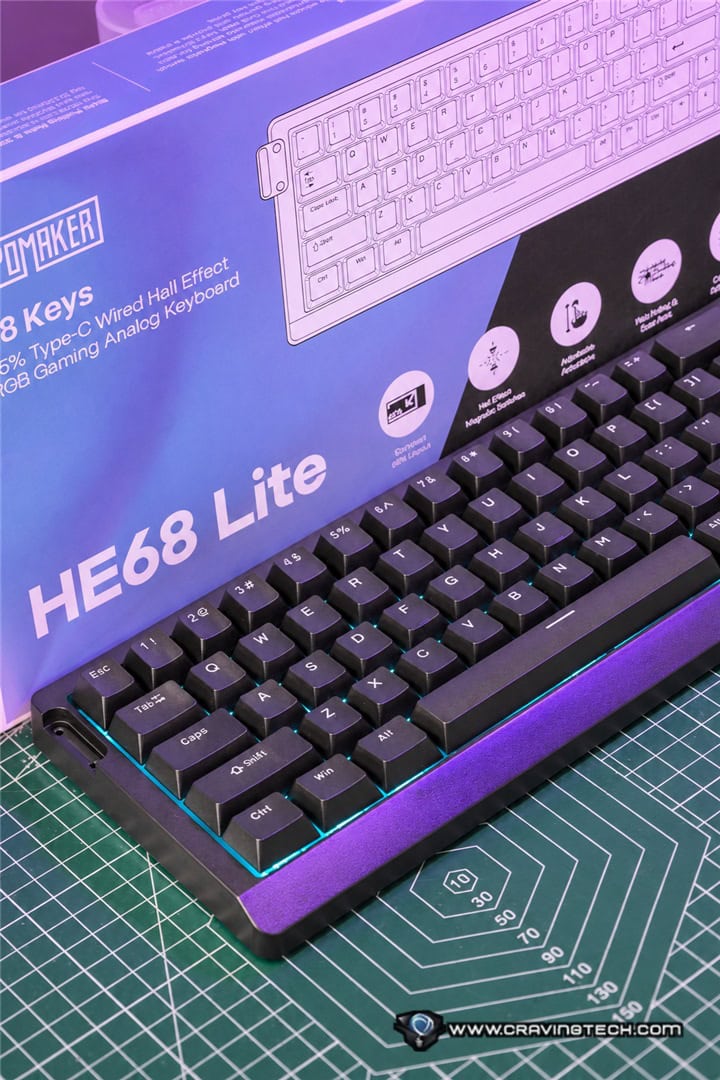
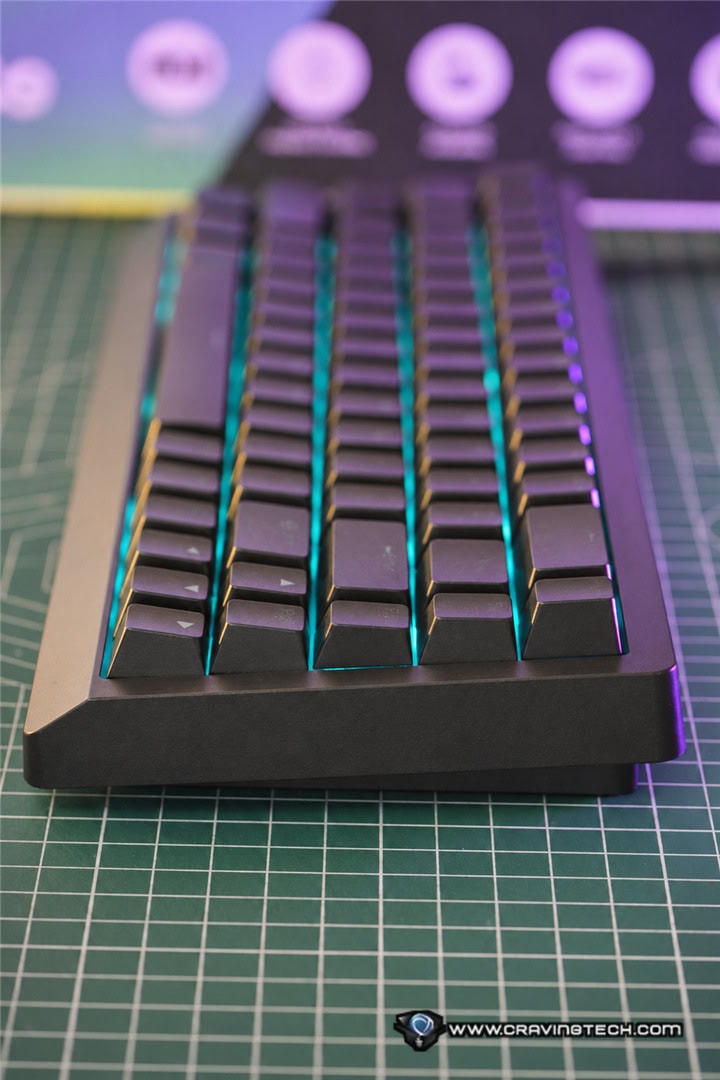
That said, I do have a minor complaint about the overall casing. While the 65% layout is compact, the exterior dimensions make the keyboard look and feel somewhat bulkier than I would have liked. A slimmer casing with smaller borders would have made the HE68 Lite more visually appealing and even easier to carry around.
Another feature I wish EPOMAKER had included is a pair of adjustable kickstands. Some users prefer a steeper typing angle, particularly during longer gaming or working sessions, and having the option to adjust the keyboard’s inclination would have been appreciated. It’s probably designed this way to make it lighter – and it’d be cheaper too.
The HE68 Lite is available in black, white, and black-red colour options, with an ANSI US layout. The black and white versions feature shine-through PBT keycaps, while the black-red variant uses non-shine-through keycaps. These double-shot PBT keycaps have a Cherry profile and should be more resistant to developing a shiny surface over time compared with traditional ABS keycaps.
Connectivity is limited to a detachable USB-A to USB-C cable, meaning there’s no Bluetooth or 2.4GHz wireless support. While this might disappoint those looking for a clutter-free desk, it’s an understandable compromise to keep costs down, particularly for a keyboard primarily targeting competitive gaming.
The keyboard also supports Windows, macOS, and Android devices, making it reasonably versatile despite its wired-only design.
EPOMAKER HE68 Lite Review – Magnetic Switches and Typing Experience

One of the biggest surprises with the EPOMAKER HE68 Lite is just how good it sounds. Budget gaming keyboards, particularly those featuring magnetic switches, often prioritise performance over typing acoustics. The result can sometimes be a rather hollow or unpleasant sound that might be acceptable during gaming but less enjoyable when you’re typing documents or working throughout the day.
Thankfully, that’s not the case here. The HE68 Lite comes equipped with factory-lubed EPOMAKER Clear Mag Hall Effect magnetic linear switches. These switches feel smooth and consistent, delivering a comfortable typing experience without the scratchiness that can sometimes be found on cheaper mechanical keyboards.
More importantly, the keyboard produces a distinctively creamy sound that I found incredibly satisfying. There’s a pleasant softness and depth to each keystroke, rather than the hollow, plasticky sound you might expect from an affordable tray-mounted keyboard. This is largely thanks to the five-layer acoustic dampening system built into the HE68 Lite. EPOMAKER has included PRO sandwich foam, an IXPE switch pad, a PET sound-enhancement pad, a switch socket pad, and bottom foam to help absorb unwanted vibrations and improve the overall sound profile.
It’s impressive to see this much attention given to typing acoustics at such a low price point. The combination of these dampening materials, factory-lubed switches, and PBT keycaps makes the keyboard sound more refined than its price would suggest.
The result is a keyboard that’s enjoyable to type on, whether you’re writing an article, replying to emails, or spending several hours working at your desk. For me, this is one of the HE68 Lite’s strongest selling points. It’s not simply a budget gaming keyboard with fast switches; it’s also a keyboard that manages to deliver a pleasing everyday typing experience.
EPOMAKER HE68 Lite Review – Hall Effect Performance and Gaming Features
Of course, the main reason many gamers will be interested in the EPOMAKER HE68 Lite is its Hall Effect technology.
Unlike traditional mechanical switches, which rely on physical electrical contacts to register a keypress, Hall Effect switches use magnetic sensing to detect the position of a key. This allows the keyboard to offer adjustable actuation distances and advanced features that wouldn’t be possible with conventional mechanical switches.
The HE68 Lite allows users to customise the actuation point between 0.1 mm and 3.4 mm, with adjustments in increments as small as 0.01 mm. This level of customisation is particularly useful for FPS players who want their movement keys to respond to even the slightest touch.
You can, for example, configure the WASD keys to activate with minimal movement while keeping other keys at a deeper actuation point to reduce accidental presses during normal typing. The keyboard also supports Rapid Trigger, which dynamically adjusts when a key activates and resets based on its movement rather than relying on a fixed reset position.
This is especially useful in fast-paced competitive games where quick directional changes and repeated inputs matter. Instead of waiting for a key to return to a specific position before it can register another press, Rapid Trigger allows the key to reset as you begin releasing it (I play a lot of Counterstrike 2).
Another useful feature is Snap Key, or SOCD, which manages simultaneous opposing directional inputs. When two opposing movement keys are pressed, the HE68 Lite can prioritise the most recently pressed key. For example, if you’re holding the A key to move left and then press D to move right, Snap Key can prioritise the newer input instead of allowing the two directions to cancel each other out.
This can make directional changes feel more immediate in supported FPS games. However, it’s worth remembering that some competitive games or tournaments restrict SOCD-style input assistance, so it’s always best to check the relevant rules before enabling it.
The HE68 Lite also comes with an 8000Hz polling rate and a 128,000Hz per-key scanning rate, with EPOMAKER advertising a response time of 0.125 milliseconds.
These are impressive specifications for an affordable gaming keyboard. While the quoted response time is a manufacturer’s specification rather than a measurement I’ve independently verified, it demonstrates that EPOMAKER hasn’t significantly compromised the keyboard’s gaming-oriented features to achieve its low price.
For FPS enthusiasts, the combination of adjustable actuation, Rapid Trigger, and Snap Key makes the HE68 Lite a compelling option without requiring a premium investment.
EPOMAKER HE68 Lite Review – EPOMAKER Hub Software and Customisation

Another area where the EPOMAKER HE68 Lite punches above its price is its software customisation. Through EPOMAKER Hub, users can configure the keyboard’s actuation behaviour, adjust its magnetic switch settings, customise the RGB lighting, and access several advanced gaming functions.
We also have Dynamic Keystrokes (DKS). This allows you to assign up to four different actions to a single key depending on how far it’s pressed or released. For instance, you could configure a key to perform one action when lightly pressed and another when pushed further down. This creates additional possibilities for gaming shortcuts and more complex input configurations. It’s the sort of feature that would normally be associated with considerably more expensive Hall Effect keyboards, so having it available on the HE68 Lite is a welcome addition.
Beyond DKS, EPOMAKER Hub also offers features such as Combo Burst (CB), Magnetic Toggle (MT), and Toggle Switch (TGL), giving users more control over how individual keys behave.
There’s also the ability to adjust the keyboard’s dead zone, including setting it to zero. In simple terms, a dead zone determines how much movement a magnetic switch needs before its input behaviour changes. Having a zero dead zone option can make the keyboard feel extremely sensitive, although not everyone will necessarily want to use the most aggressive settings. The dead zone adjustment is actually available within EPOMAKER Hub, allowing you to customise it according to your preference.
EPOMAKER HE68 Lite Review – RGB Lighting
If you enjoy RGB lighting on your gaming peripherals, the EPOMAKER HE68 Lite has you covered. The keyboard features south-facing, per-key RGB lighting with a range of lighting effects and customisation options available through EPOMAKER Hub.
For a keyboard in this price category, I found the RGB lighting features more than sufficient. There’s plenty of room to personalise the appearance to suit your gaming setup, whether you prefer colourful animated effects or something a little more subtle. The shine-through legends on the black and white models also help make the keys easier to identify in darker environments.
EPOMAKER HE68 Lite Review Conclusion

The EPOMAKER HE68 Lite is a perfect example of how far affordable gaming keyboards have come. For around $49.99, you’re getting a compact Hall Effect gaming keyboard equipped with features that would have been considerably more expensive not too long ago.
Rapid Trigger, Snap Key, adjustable actuation, Dynamic Keystrokes, and an 8000Hz polling rate are already impressive inclusions at this price point. Add the extensive customisation offered by EPOMAKER Hub, and the keyboard becomes even more attractive for gamers looking to experiment with magnetic switch technology.
Despite using an affordable plastic casing and tray-mounted construction, the five-layer sound-dampening system and factory-lubed magnetic switches produce a very satisfying creamy sound. It makes the HE68 Lite enjoyable to use beyond gaming, particularly for anyone who spends a lot of time typing throughout the day. Not having some keys (available in TKL or full-size keyboard) might be a challenge, though.
If you’re looking for an affordable Hall Effect gaming keyboard that delivers responsive gaming features without sacrificing typing comfort and sound quality, the EPOMAKER HE68 Lite is very easy to recommend. It’s an especially attractive option for budget-conscious FPS gamers who want premium-style features without paying a premium price.
Also available at Amazon.
Disclosure: EPOMAKER HE68 Lite review sample was supplied for reviewing
EPOMAKER HE68 Lite Review
Overall
Summary
Excellent value, advanced gaming features, and impressive typing acoustics outweigh its relatively minor design compromises.
Pros
- Excellent value for money
- Beautifully creamy and satisfying typing sound
- Hall Effect switches with Rapid Trigger and Snap Key
- 8000Hz polling rate and adjustable actuation
- Extensive software customisation, including DKS and zero dead zone
- Lightweight with a detachable carrying strap
- Five-layer sound dampening
Cons
- Casing feels a little bulky for a 65% keyboard
- No adjustable kickstands
- Wired-only connectivity