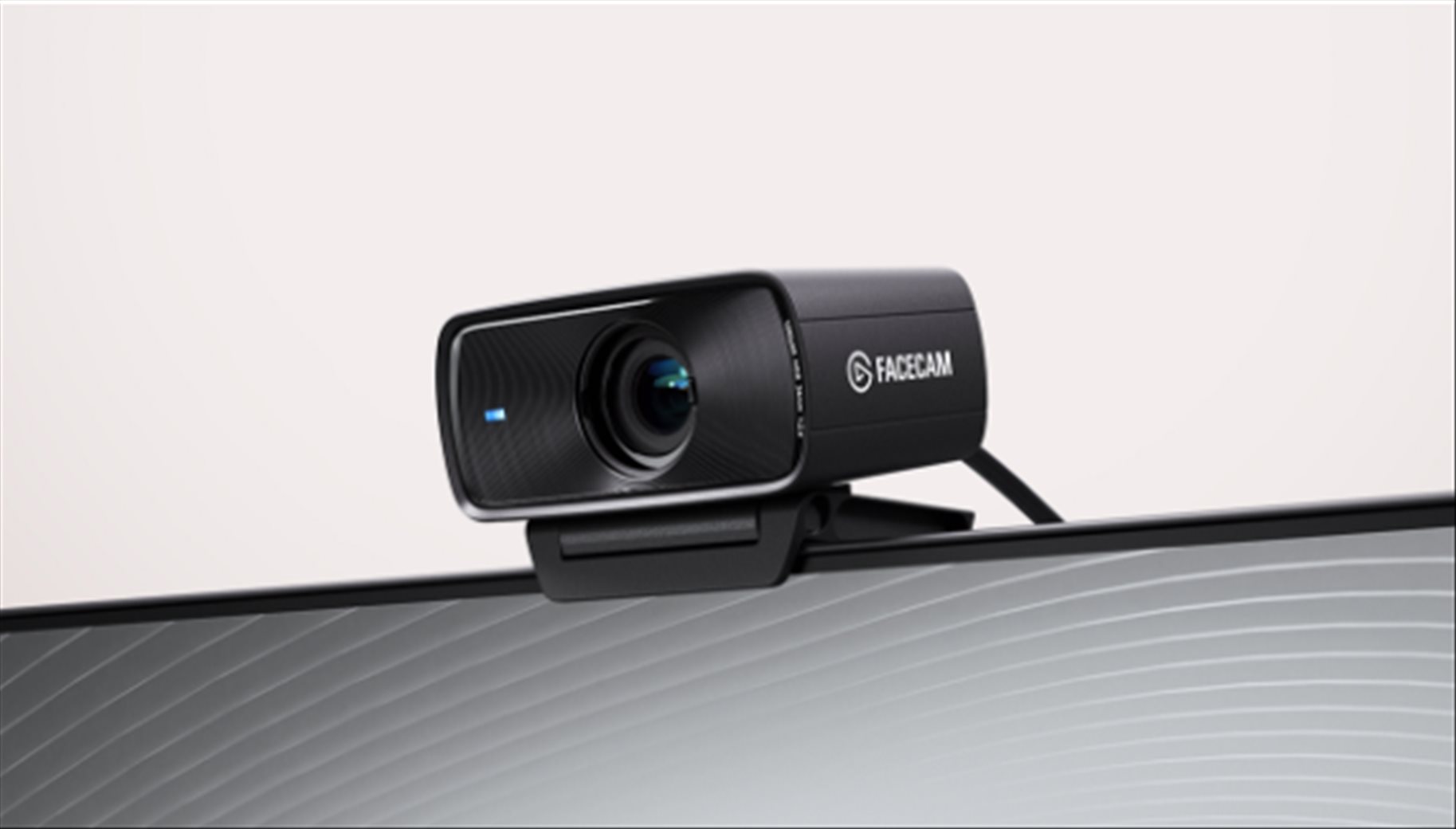
The Elgato Facecam 4K brings DSLR-like image quality to the webcam space, delivering stunning 4K video at 60 frames per second – twice the frame rate of competing webcams. Back in 2022, Elgato engineered the world’s first 4K60 webcam, and the Facecam 4K builds on that foundation with better image quality, more creative control, and a price point that’s actually accessible to more creators. What once required thousands of dollars in camera gear now sits comfortably on your monitor (or laptop).
This might be one of the best webcams I’ve used and reviewed so far in terms of pure image quality.
Elgato Facecam 4K Review – Unboxing and Packaging Contents


Elgato Facecam 4K Review – Design and Build Quality
The Facecam 4K isn’t small, but honestly, why would you want it to be? With the power and amazing lens packed into this body, the bulkiness translates directly into super crispy, high-quality images. The substantial build actually inspires confidence – this feels like a premium piece of kit.
The mounting system is pretty sturdy too. The clip mechanism works wonderfully across all kinds of setups. I’ve tested it on my HyperX Armada gaming monitor and even on top of my slim Dell XPS 13 work laptop, and it sits securely on both without any wobbling or adjustment issues.

There’s a prominent blue LED light at the front of the unit that illuminates when the webcam is active. It’s quite noticeable, which is actually reassuring – you’ll immediately know when you’ve forgotten to turn your webcam off, or worse, if something unauthorised is accessing it.
One thing to note: there’s no built-in privacy cover or shutter. If privacy is a concern for you, you’ll need to purchase a separate cap. It’s a minor inconvenience, but given everything else this webcam offers plus you can see the LED if it’s being turned on, it’s a trade-off I’m willing to accept.
Inside the Facecam 4K, light flows through a pipeline of professional-grade components, emerging milliseconds later as refined video. The light first enters through Elgato’s Prime Lens, designed to maintain sharpness up to 1.2 metres with a full 90-degree field of view. It’s then captured by a 1/1.8″ Sony STARVIS 2 CMOS sensor, which converts light into an electrical signal with exceptional detail and colour accuracy. A state-of-the-art image processor handles everything from encoding to noise reduction, turning raw sensor data into polished video.
When connected via USB 3.0, the Facecam 4K delivers video with zero compression up to 2160p30, preserving every detail and reducing latency. By maximising quality at each step of this pipeline, the Facecam 4K delivers video that looks true-to-life at any scale – even zoomed in or displayed on big-screen TVs.
The Camera Hub software is where the Facecam 4K transforms from excellent to extraordinary. This free application for PC and Mac is packed with professional tools that give you DSLR-like control over your image.

The software contains many different options, from simple to advanced. There are loads of controls here to make you look your best in whatever environment you’re in. The default settings are already great, but once you tweak things to perfection, you can achieve exactly the look you’re after.
You can manually adjust ISO and shutter speed to perfect your lighting, just like you would on a professional camera. The PTZ controls let you pan or tilt to frame your shot, then zoom in digitally while maintaining remarkable sharpness. Whether you’re in a brightly lit room or working in low light, there are settings here to compensate for all kinds of different environments.
The HDR mode works brilliantly up to 4K30, helping you look professional even in tricky, high-contrast lighting situations. For those wanting to add a creative touch, the in-app LUTs make professional colour grading effortless. You can choose from given presets or explore an expanding collection on the Elgato Marketplace. NVIDIA RTX users can even apply realistic background blur for that signature DSLR depth-of-field effect which I think look better than the Zoom or Huddle’s similar feature.
One of the most interesting things from Facecam 4K is its support for 49mm lens filters – a first for webcams. Lens filters have been essential tools in filmmaking and photography for over a century, and now that capability comes to your desktop setup if you care about this stuff.


For the first time with a webcam, you can apply cinematic styling like diffusion and starburst effects, or even reduce reflections off glasses using CPL filters. From streak effects to extreme close-ups, filters open up a world of creative possibilities that were previously only achievable with professional camera setups. Elgato is even offering a free CPL filter with Facecam 4K orders via their webstore, and beyond that, you can attach any 49mm filter you might already own or purchase elsewhere.
But if you are only going to use this webcam casually, that’s fine too and you don
While I’ve been using the webcam mostly for daily work meetings – stand-ups, feature alignments, tech breakdowns, and all other work sessions – I can vouch for the quality difference. Everything just looks sharper, with more detail and more dynamic range even without any adjustments with Camera Hub. The lighting and shadows create a three-dimensional image that’s miles ahead of the flat, lifeless output from my work laptop’s built-in webcam.
Inside a room with a bit of sunlight (without any adjustment using Camera Hub):


Same room where there is more sunlight:


However, I really encourage you to install Camera Hub and really try tweaking a few things up. These controls are not gimmicks and they can really fix issues with your set up (such as harsh lighting and other issues).
For example, here is with a simple flick of enabling White Balance (OFF vs ON):


There are many more things you can control apart from the usual Contrast and Saturation here such as Dynamic Range, Metering, etc.
Compared to all the other webcams I’ve used and reviewed, the Facecam 4K delivers one of the best image quality I’ve experienced. The 4K60 capability means your video remains buttery smooth even during fast movements, and the detail retention is pretty impressive if you are a content creator.
There’s no built-in speaker or microphone and honestly, that’s fine by me. I’d rather Elgato focus solely on getting the best sensor and image possible rather than worrying about half-baked features that most people won’t use anyway. This focused approach means there’s more room for the important components and allows them to deliver the best image quality possible.
For audio, you’re better off using a dedicated microphone anyway – whether that’s a USB mic, XLR setup, or even a quality headset. The Facecam 4K does one thing brilliantly: delivering exceptional video quality.
Elgato Facecam 4K Review Conclusion

The Elgato Facecam 4K proves that incredible video quality no longer requires an elaborate professional camera setup. With its Sony STARVIS 2 sensor, professional-grade image processing, and comprehensive Camera Hub software, this webcam delivers results that rival many DSLR cameras at a fraction of the cost and complexity.
The 4K60 capability sets it apart from competitors, while the addition of lens filter support opens up creative possibilities that were simply impossible with webcams before. The Camera Hub software provides the kind of granular control usually reserved for professional cameras, letting you dial in exactly the look you want.
Yes, it’s larger than some competing webcams, and it lacks a built-in privacy shutter. But these are minor considerations when weighed against the exceptional image quality on offer. Whether you’re a content creator, remote professional, or simply someone who values looking their best on video calls, the Facecam 4K delivers outstanding performance that justifies its position at the top of Elgato’s webcam lineup.
Elgato Facecam 4K is available now for purchase at A$289 at elgato.com and authorised retailers around Australia
Disclosure: Elgato Facecam 4K review sample was supplied for reviewing
Summary
The Elgato Facecam 4K is hands down one of the best-looking webcam I’ve tested, delivering sharp video quality that rivals proper cameras with many adjustment controls
Pros
- Exceptional 4K60 video quality that rivals DSLR cameras
- Comprehensive Camera Hub software with professional-grade controls
- First webcam to support 49mm lens filters for creative possibilities
- Sony STARVIS 2 sensor delivers outstanding detail and colour accuracy
- Sturdy build with versatile mounting clip
- Zero compression video delivery up to 2160p30 via USB 3.0
- HDR support for challenging lighting conditions
- PTZ controls with sharp digital zoom
- Prominent LED indicator for privacy awareness
- Works across different monitor and laptop setups
Cons
- No built-in privacy shutter or cover (must purchase separately)
- Larger footprint compared to basic webcams
- No built-in microphone or speakers (dedicated audio solution required)