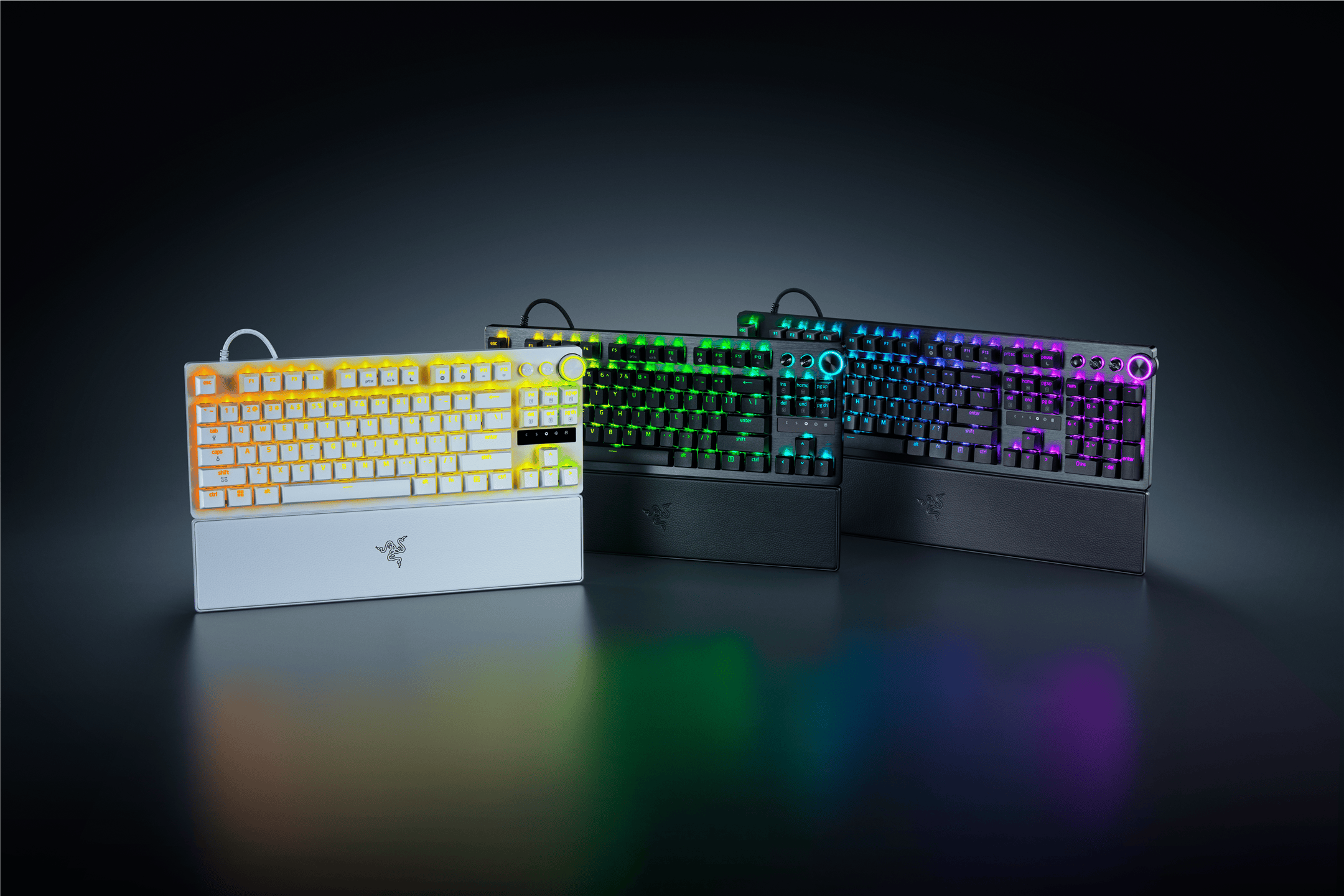
The Razer BlackWidow line has always been Razer’s flagship keyboard for decades. I stumbled upon their first BlackWidow Ultimate and reviewed it back in January 2011. More than two decades have passed and we’ve now seen the beloved keyboard get all the fancy design and performance upgrades, worthy of both casual and professional gamers.
Razer has also introduced the BlackWidow V4 Low-Profile line, which delivers top-tier performance but in an ultra-slim form. It looks very sleek but also offers better ergonomics than traditional mechanical keyboards. Coming in at A$359.95 AUD for the full version and A$299.95 for the Tenkeyless, this represents Razer’s most feature-rich low-profile gaming keyboard yet, and after using it daily to play games like Overwatch 2 competitively and Borderlands 4, I can see why they’re positioning it as the evolution of their iconic series.
Packaging

Design and Build Quality
The first thing you’ll notice about the BlackWidow V4 Low-Profile HyperSpeed is just how slim it actually is. With an ultra-low 18.5mm front height, this keyboard completely changes your desk setup’s profile. The angled chassis naturally encourages neutral wrist positioning (since you don’t have to bend your wrist upwards to use the keyboard), which I found particularly comfortable during extended gaming sessions. Or when I was using it to code.

The premium 5052 aluminium alloy top case immediately gives you that solid, premium feel. The BlackWidow V4 Low-Profile feels absolutely rock solid and durable. The combination of the aluminium top case with the ABS bottom creates a nice balance between durability and weight – it’s substantial enough to feel premium without being unnecessarily heavy. You can still technically carry it to a friend’s house inside your backpack but probably not something that you’d want to do daily.
In terms of acoustic engineering, Razer has included dual sound-dampening foam layers beneath a stainless steel top plate, along with pre-lubricated stabilisers. The typing sound feels clean and satisfying without being disruptive to others around you.
Razer is offering the familiar Green (clicky), Yellow (linear), and Orange (tactile) options. My TKL review unit came with the Yellow Linear switches (I requested it) and despite being tagged as “linear”, it still feels tactile and offers great experience for both typing and gaming.
The Yellow switch has a 2.8mm travel and 1.2mm actuation distance. This creates noticeably quicker keystrokes while maintaining that satisfying mechanical feel. So, you get the responsiveness benefits of shorter travel without sacrificing the tactile feedback that makes mechanical keyboards so appealing. Sure, you can’t customise the actuation per key (this is reserved for the pricier Razer Huntsman V3 Pro line) but from my experience, the responsiveness is already superb on the BlackWidow V4 Low-Profile.


Now, there is a “Keyswitch Optimization” option on Razer Synapse that allows you to switch between Typing and Gaming. When you are replying emails or writing out documents like my review here, you do need to switch this manually to Typing. When I kept the option to “Gaming”, I’d often get double presses because the switches were more responsive and swifter. I do wish there’s an auto-detect feature where it auto switches to “Gaming” when I launch games and revert back to “Typing” when I’m done.
Each switch features a unique circular stem wall designed specifically for optimal RGB light transmission and the result is brilliant, even illumination through the doubleshot PBT keycaps. The switches are rated for 80 million keystrokes, which is 1.6 times the industry standard – a reassuring number for anyone planning to use this keyboard extensively.
Like any modern peripherals these days, the Razer BlackWidow V4 Low-Profile HyperSpeed supports multi device through 2.4GHz wireless connection and Bluetooth (up to three Bluetooth devices). There are quick shortcuts on the keyboard to switch quickly between the 2.4GHz and three Bluetooth devices. Pretty neat.
The 2.4 GHz connection with up to 1000Hz polling rate delivers lag-free performance and in any of my Overwatch 2 competitive gaming sessions, I couldn’t detect any input delay or dropped inputs, even during rapid key sequences.
For battery life, Razer claims up to 980 hours in Power Saving Mode, and while I haven’t had the keyboard long enough to fully test this claim (plus I don’t really want to use it in Power Saving Mode), I’m pretty pleased with the battery life so far. Obviously it depends on your usage and playing FPS or Strategy games that require constant use of key pressing would use more battery.
In the TKL (Tenkeyless) version, the media control buttons are condensed into one (and can control Play/Pause, Next, and Previous tracks). There are also a dedicated, unmappable button to display the keyboard’s current battery life through the backlighting, and an AI Prompt Master launch button where you can chat with AI, ugh. There’s even a Copilot AI key. I’m into AI but not everything needs to have an “AI” stuff in them – this being one. Sure, this makes it easier for people to chat about the game they are currently playing – such as to find a good build, playthrough, and all that. However, it’s as easy as alt-tabbing and just use your browser or phone. Thankfully, this button can be remapped to something else if you are not into AI.


Razer Snap Tap is included and represents a competitive advantage. This feature prioritises the latest input between two keys without requiring you to release the previous one, enabling near-instant directional changes (perfect for counter strafing). It’s off by default but easily toggled with FN + Left Shift. While some might consider this controversial in competitive gaming, it’s undeniably effective for movement-heavy games. Just double check whether the game you are playing is actually okay with this being turned on.
How about the typing experience? The low-profile design takes some adjustment if you’re coming from traditional mechanical keyboards, but the learning curve is surprisingly short. The reduced key height means less finger travel, which translates to less fatigue during long sessions. The neutral wrist position feels natural and comfortable – I found myself gaming for hours without needing a wrist rest.
For typing, the doubleshot PBT keycaps provide excellent texture and durability. The legends are crisp and designed specifically to maximise RGB shine-through, creating beautiful backlighting that remains readable in any lighting condition. The stabilisers are smooth and consistent across all larger keys, with no rattling or sticking. I could actually get a 109 WPM (Words Per Minute) average at typingtest.com with a 1-minute, Medium Text test.
Gaming performance is where this keyboard truly excels. The combination of low-profile switches (and the tactileness of it), high polling rate wireless, and Snap Tap functionality creates an incredibly responsive gaming experience. Whether you’re playing competitive shooters, MOBAs, or MMORPGs, the keyboard keeps up with even the most demanding input requirements.
Razer Synapse provides comprehensive control over every aspect of the keyboard. You can customise RGB lighting, create complex macros, adjust polling rates, and configure the Snap Tap functionality. The interface is intuitive, though it can feel overwhelming with the sheer number of options available.
The lighting effects are really nice, with the low-profile switches providing excellent light distribution. The circular stem design really pays off here, creating even, vibrant illumination that looks premium and professional without being too flashy.
BlackWidow V4 Low-Profile HyperSpeed Review Conclusion

The Razer BlackWidow V4 Low-Profile HyperSpeed successfully adapts the iconic BlackWidow formula for modern gaming needs. The ultra-slim profile doesn’t compromise on performance or build quality – instead, it enhances ergonomics (especially combined with the TKL version) while maintaining the responsive, satisfying feel that made the BlackWidow series famous.
The combination of high-performing low-profile mechanical switches, lag-free wireless connectivity, graet battery life, and comprehensive control features creates a keyboard that works equally well for competitive gaming and professional productivity. Features like Snap Tap and AI integration show Razer’s commitment to pushing the boundaries of what a gaming keyboard can offer. I personally think they should stay away from adding AI-related buttons or functionalities but eh, I guess some might like it.
At A$359.95 AUD for the full version and A$299.95 for the TKL version, the BlackWidow V4 Low-Profile HyperSpeed sits in premium territory. While the premium price point won’t appeal to everyone, the BlackWidow V4 Low-Profile HyperSpeed justifies its cost through exceptional build quality, innovative features, and the kind of long-term reliability that makes it a worthwhile investment for serious gamers.
Two decades after that first BlackWidow Ultimate, Razer has created a keyboard that honors the legacy while boldly stepping into the future. This is what flagship gaming keyboards should aspire to be.
Disclsoure: Razer BlackWidow V4 Low-Profile HyperSpeed TKL review unit was supplied for reviewing
Razer BlackWidow V4 Low-Profile HyperSpeed Review
Overall
Summary
The Razer BlackWidow V4 Low-Profile HyperSpeed combines high-performing, low-profile mechanical switches, ergonomics, and lag-free wireless connectivity in a premium ultra-slim design that delivers flagship gaming performance
Pros
- Exceptional low-profile mechanical switch feel with 2.8mm travel distance
- Rock-solid build quality with premium aluminium construction
- Lag-free HyperSpeed Wireless with 1000Hz polling rate
- Multi-function roller and dedicated buttons such as battery checker
- Excellent ergonomics with natural wrist positioning
- Razer Snap Tap provides competitive advantage
- Multi-device support for seamless platform switching with up to 3 Bluetooth devices
- Excellent RGB implementation with even light distribution
Cons
- Premium pricing may deter budget-conscious buyers
- AI Prompt Master feature feels gimmicky
- No easy way to switch between Typing and Gaming (frequent accidental double inputs in Gaming)
- No hot-swappable switches for customisation enthusiasts