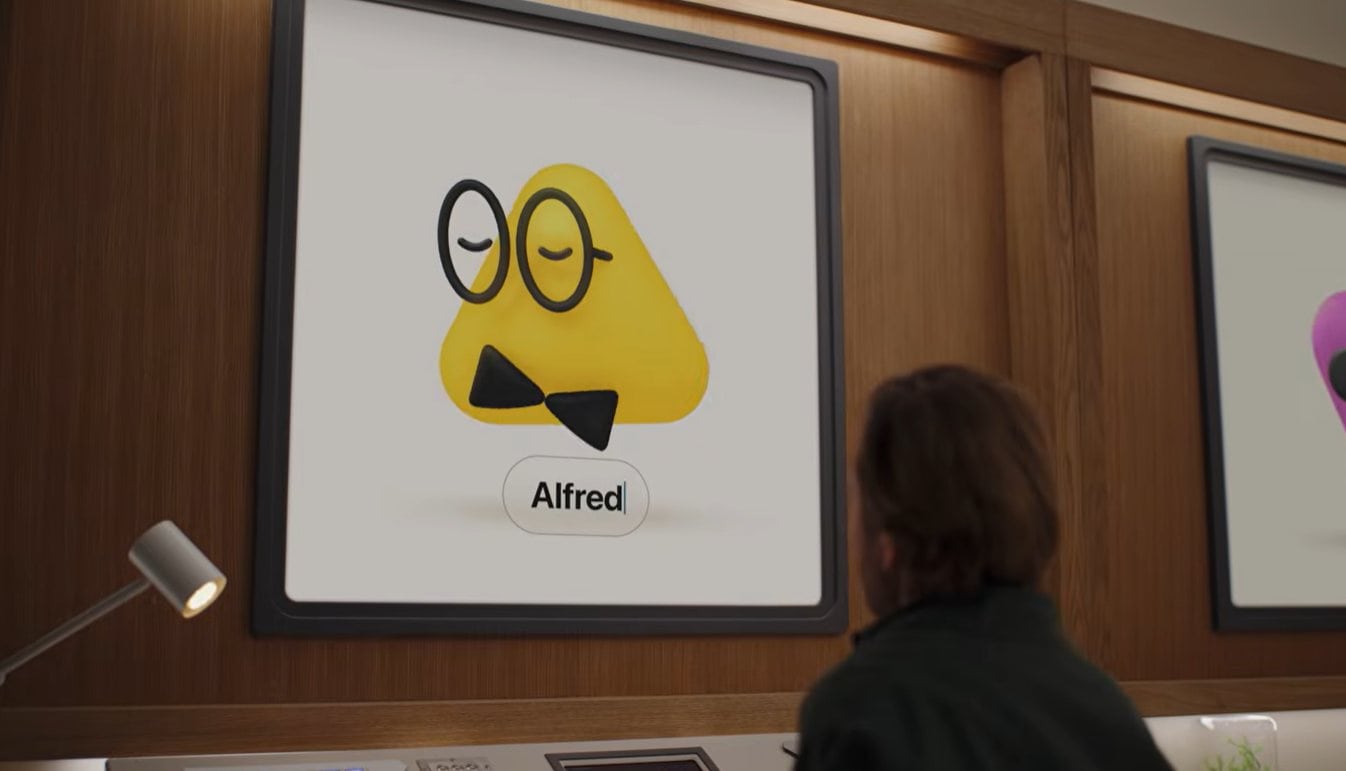
OpenAI has introduced ChatGPT Dots, a new type of always-on AI agent designed to keep working on tasks even when you are no longer actively chatting with ChatGPT. Announced on 29 September, Dots are powered by GPT-6 Astra and each one gets its own cloud computer, browser, and access to supported apps that you choose to connect. Rather than waiting for a new prompt every time, a Dot can continue working towards your goals around the clock, learn from your feedback, and come back when something needs reviewing or a decision needs to be made.
OpenAI says Dots can connect to more than 4,000 apps through its plugin ecosystem. That’s pretty big and basically the more you give it access, the more integration you’ll get out of it.
The easiest way to think about Dots is that instead of giving ChatGPT individual tasks, you can potentially give one an ongoing responsibility.
A Dot can work on several projects at once, while you continue adding new tasks or ideas without needing to organise everything into separate conversation threads. You can also open its cloud computer at any time and inspect what it is doing. OpenAI even allows users to give a Dot permission to connect to their own laptop if they want it working directly alongside them.
OpenAI gives an example of a software developer whose Dot monitors customer feedback, identifies recurring requests or bugs, scopes smaller fixes, builds and tests them, and then brings completed pull requests back for review.
For content creators, a Dot could learn your writing style and audience, then react whenever a new interview transcript arrives by identifying moments for clips, preparing show notes, and drafting social posts. Your edits can then be carried across those materials as it learns what you prefer.
There is even a fairly mundane but very relatable example from OpenAI’s early testing: one user’s Dot realised that he had forgotten to invoice a publication, prepared the invoice, and then sent it after getting his approval.
With regular ChatGPT, I generally have to know that something needs doing before I ask it to do it. A Dot is designed to notice things, continue previous work, and proactively bring something back. I guess you can think of it as your personal assistant that keeps track and helps you get things on your behalf when something comes your way.
It can come to you, rather than the other way around
Dots don’t only live inside a ChatGPT window. You can message or call them through ChatGPT on desktop, web, and mobile, and they can also contact you with progress updates, questions, or decisions that require your attention. OpenAI also supports Slack and Microsoft Teams, with texting planned later.
More importantly, the same Dot carries context across those channels. You could start something inside ChatGPT, continue discussing it with your team in Slack, and then return to ChatGPT without needing to explain everything again.
But how much autonomy do you really want?
Giving an AI its own computer and permission to access your apps obviously raises a much bigger question than whether ChatGPT can write a decent email.
OpenAI says each Dot runs on its own cloud computer, while your personal computer remains isolated unless you explicitly allow the Dot to connect to it. For supported websites, saved passwords can also be used without exposing the password itself to the AI model.
When you’re not actively interacting with a Dot, it can perform what OpenAI calls proactive research. Importantly, that background mode uses read-only access to connected apps, meaning it cannot quietly send messages, modify app content, or take control of your browser or computer.
Users can also create Custom Rules that allow particular actions, require approval, or block them completely. Actions that may affect an account or share information go through an automated review process, while particularly sensitive actions such as changing a password always remain with the user.
OpenAI itself acknowledges that Dots can still make mistakes and recommends reviewing consequential work – as if with all AI.
Eventually, there may be more than one Dot
Right now, OpenAI is starting users with a primary Dot, which you can name and personalise. Longer term, though, the company says it imagines teams of Dots working together on your behalf.
There is also an enterprise version of the idea called specialist dots. These can be given their own identity, credentials, hardware, and access to specific company systems so they can take responsibility for particular business processes.
OpenAI says it has already been testing this internally across areas including procurement, invoice processing, email marketing, customer support, and commercial contracting. It is also working with Microsoft to integrate specialist Dots with Microsoft Agent 365 governance and security controls.
This could ultimately make Dots more interesting for businesses than consumers. Instead of having one general AI assistant, a company could theoretically have separate AI workers responsible for support, finance, development, marketing, or other clearly defined areas.
Who can use ChatGPT Dots?
Dots are initially rolling out to ChatGPT Pro and Business Premium users in eligible markets, while Enterprise users, including Edu and Healthcare customers, can access the beta when enabled by an administrator.
The first Dot is included with eligible Pro and Business Premium subscriptions at no extra charge. OpenAI says users will eventually be able to add more Dots and increase either their working speed or the amount of work they can perform each month.
Normal conversations with your Dot don’t count towards your standard ChatGPT usage limits. If the Dot launches tasks through Codex or ChatGPT Work, however, those tasks still count towards their respective limits.
Initial setup has to be done through the ChatGPT desktop app or desktop browser, after which you can communicate with the Dot through the mobile app as well.
It is still early, but ChatGPT Dots feels like a fairly significant shift in what OpenAI wants ChatGPT to become. Instead of opening an AI tool whenever you need something, OpenAI is effectively asking whether you would like an AI worker continuously watching a responsibility for you.
Whether people are comfortable giving an AI that much access will be another question entirely, but if Dots work reliably, the interesting part of ChatGPT may soon be what it does while you are not using ChatGPT.