
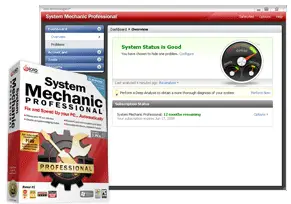
 System Mechanic 8 automatically detects potential problems and security risks on your system with a click of a button and automatically fix them for you (or you can manually select the solution, if you are a techie).
If you are having a massive slowdown on your Windows machine (which you definitely will after months or years of formatting), it’s worth to give System Mechanic 8 a try to scan your computer for potential problems.
System Mechanic 8 Introduction
System Mechanic 8 is a Windows tool that automates the process of scanning, cleaning, and optimizing your computer. If you have installed and uninstalled lots of applications on your Windows, registry entries will get cluttered and you’ll find that your Windows is getting slower and slower each passing day.
System Mechanic 8 is designed to find these problems and repair/clean them up for you.
System Mechanic 8 User Interface
System Mechanic 8 User Interface is top notch. It’s pleasing for the eye, the color combinations are perfect, and the navigation is simple without the need of reading bunch of helps and manuals.
After all, System Mechanic 8, I believe, is designed to automate the process, so fiddling with command lines is a no no here. Of course, you don’t judge a program by its user interface (although we all do subconsciously). So let’s see what features does System Mechanic 8 has.
System Mechanic 8 Features
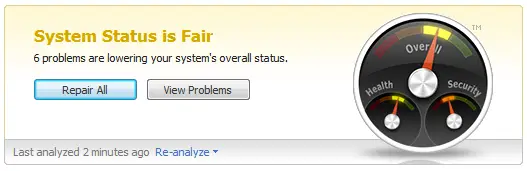
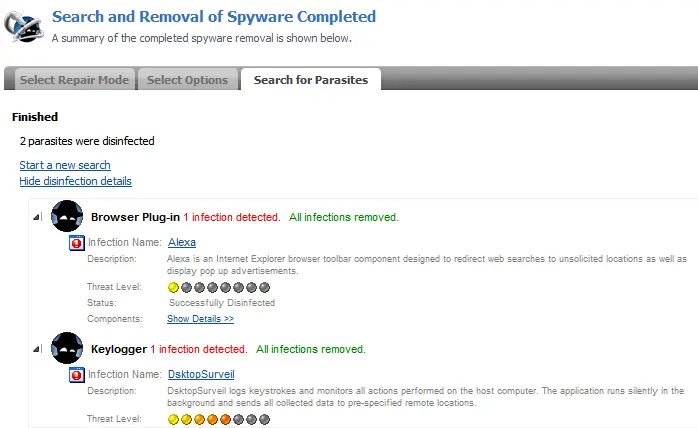
System Mechanic 8 packs many small features in one bundled application. It has a registry cleaner, hard disk clean up tools, Memory and Internet optimizer, Spyware scanner and cleaner, Hard Drive defragmenter, Tweaking Windows Startup and settings, and many more others.
For those lazy bumps, you can use the ultimate button, called “PC Total Care”. It’s a one click that does all to keep your Windows in a tiptop shape performance!

Conclusion
System Mechanic 8 is worth a try, especially if you consider yourself not a too technical person. If you are the one who always ask a friend to help you in formatting your computer or installing your Windows, then System Mechanic 8 is definitely for you.
I’m not trying to look down on you, but most of my friends (especially the ladies, no offense), don’t know how to take care of their Windows well. After some months of usage, their internet stops working, windows taking ages to start-up, things just magically disappear, pop-ups appearing out of no where, and many more.
By using automated software such as System Mechanic 8, these problems can be prevented and/or resolved easily (although may not be safely – as automated stuffs usually try to get smart at some point in time).
If you think that your Windows has lots of problems, it is worth trying System Mechanic 8. You can download System Mechanic 8 for FREE (free license for a 6-month period), enough for you to at least clean up the junks on your Windows, optimize it, and move on! (Thanks TechTrends, for the post).
For a more detailed features of System Mechanic 8, check out its welcome page






Comments are closed.