
 If you own a blog, you’ll probably want other bloggers to spread and link back to your post. This is where trackbacks and pingbacks come into play. If you want to find out more about trackbacks and pingbacks (and the difference), check out introduction to blogging at WordPress Codex as I’m not planning to explain it here.
To make sure that your trackback works (i.e other bloggers can successfully trackback to your posts), you can either ask a blogger friend to write a post and link back to your post using the post’s trackback URL.
Or even better, use a free service such as “Test Track”.
In “Test Track” blog, you can login as a blog writer/author and start writing test post that includes a trackback URL to your post.
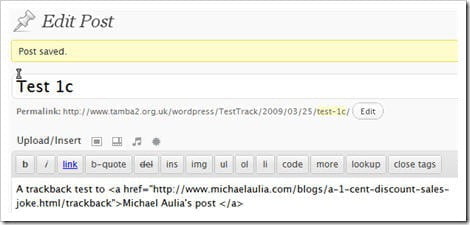
After creating a simple post with a trackback URL to your post, hit the Publish button. The Test Track homepage should now display your recently published post:
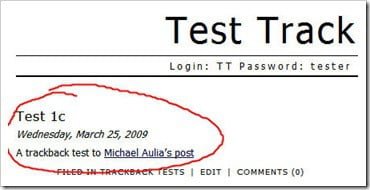
If the trackback works correctly, you should be getting a notification from your blog about a new Trackback entry to your post. If you don’t, then something is wrong. I remember having a problem in the past because I changed my Permalink from http://www.cravingtech.com/a-post-title/ to www.cravingtech.com/a-post-title.html (permalink with html at the end of the post title). Somehow trackback stopped working. Luckily, it seems that the latest WordPress (2.7 or 2.7.1) already fixed this problem as I have just validated it. Thanks to Van from bastillwork.net who reminded me about putting trackback URLs back on my posts.
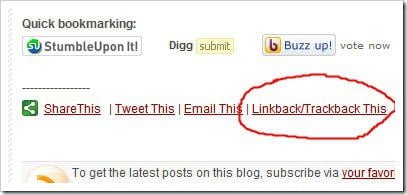
You can now find the trackback URL at the bottom of every post on my blog:
To test your own posts’ trackbacks, use Test Track site.


Comments are closed.