As someone who likes to take good care of their phones, I always use a screen protector on my iPhones. The one time I didn’t replace it, the screen ended up scratched quite considerably!
If you buy screen protectors at Apple or a specialty phone store, they will probably install them for you, which is what I have done in the past. The last time I applied one myself, it was very difficult to remove the dust from the screen, align the protector properly, and, most importantly, get rid of the air bubbles.
So imagine my surprise when I discovered that the new Belkin screen protectors include an Easy Align tray, making the application process much simpler, as you’ll soon see.
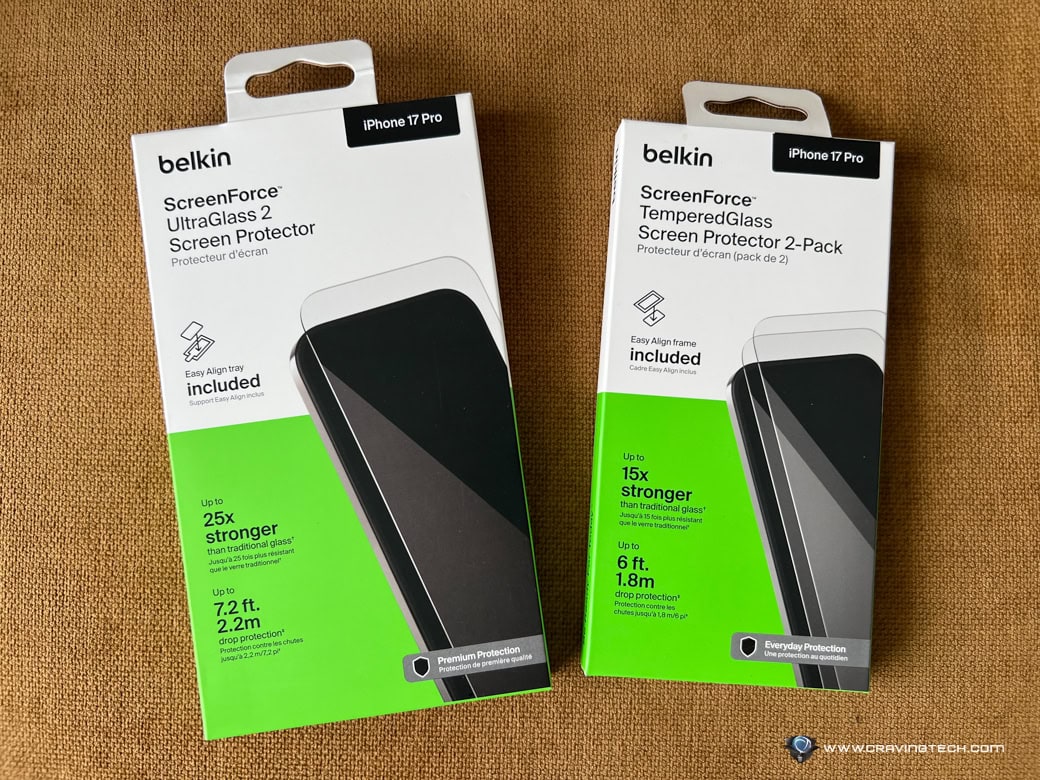
For this year’s iPhone, Belkin offers two types of screen protectors:
- ScreenForce TemperedGlass Screen Protector 2-Pack, which is up to 15x stronger than traditional glass and provides up to 6 ft / 1.8 m drop protection.
- ScreenForce UltraGlass 2 Screen Protector, which is up to 25x stronger than traditional glass and offers up to 7.2 ft / 2.2 m drop protection.
The pack includes a QR code linking to an instruction video that supplements the manual in the box. The video provides a complete walkthrough of the process, so there are no surprises.

I also recorded the process, adding more hands-on details about what to look out for.
Before recording, I chose an area in my home with minimal air movement to prevent dust from flying around. I then wiped down the table surface where I would apply the screen protector to minimise any nearby dust. Following the instructions, I wiped the phone screen to remove dust and fingerprints, and also cleaned the sides and back of the phone.
I then used the adhesive to lift away any remaining unseen dust from the screen. Next, I quickly placed the phone face down into the Easy Align tray, held it lightly with one hand, and pulled the backing off the screen protector with the other.
I waited about 30 seconds before removing the tray from the phone. By this point, the screen protector was attached, though some air bubbles were inevitably present. Using the wipes, I applied light pressure to push the bubbles toward the edges of the screen. You can’t always see the air escaping, but the bubbles gradually shrink until they eventually disappear.
Overall, the installation process takes roughly 10 minutes.
In terms of usage, it only takes a minute for your fingers to adjust to the tactile feel of the screen protector, and overall, it feels very natural to use.
Over time, the edges of the UltraGlass 2 tended to collect some dust, likely due to a bit of residual or excess adhesive on the thicker part of the screen protector. I wasn’t really expecting this to happen, but I can always try to clean it with the reusable cloth provided.
Since the screen protector doesn’t cover the entire screen — likely to accommodate phone cases — the edges can emit rainbow-like reflections due to light refraction between the display and the screen protector edges. This effect is most noticeable when viewing bright content or in low-light environments.
One additional benefit of this screen protector is its compatibility with my waterproof case, which includes an extra layer of screen protection. The case instructions recommend removing any screen protector before use, but when I tried it with the Belkin ScreenForce TemperedGlass Screen Protector still on, it worked perfectly. This proves that despite its relative thickness, the protector remains highly responsive and of excellent quality.