“Redesign your blog/website” contest

The guys over at Buy Templates are nice enough to sponsor prizes for this contest. I know a few of you have just started a blog or a website, so I’m sure it’ll be great if you can win some good quality templates, logo, and banners for your new blog/site. Everyone who participates will also [...]


Dear my loyal readers and especially my loyal commenters, I notice that most of you haven’t got your own Gravatar yet. What is Gravatar, you asked? If you don’t know what that is, it’s the picture that appears next to your comment such as this:
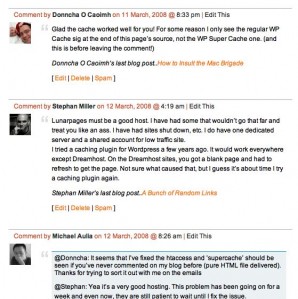
gravatar 298x299 Get your Gravatar in less than one minute

Do you know that it only takes you a minute to register your own Gravatar? It’s a minute worth of a lifetime investment, especially if you like to give comments here and there!

Most blogs support displaying Gravatar on the comments section. Displaying your own photo or image will give a personal touch to your comments and people (especially the site owner) will remember you better.

What you need to do is:

  1. Go to Gravatar’s website
  2. Click sign-up and fill ONLY your email address on the form
  3. Submit the form, refresh your email inbox, click on the link to activate
  4. Upload your photo and save
  5. That’s really it!
     

Go on, it only takes a while to do and good for you in the long term. Hope to see the new you on my comments soon.

WARNING: It may take you more than one minute, depends on how quick your reflexes and your internet connections are. Results may vary :)

We can play a game by registering your own gravatar as quickly as possible (time it by minutes and seconds), and post how long it took you to do it! Hm what should I give to the winner…


Bookmark and Share


Subscribe Now

If you enjoyed this post, feel free to subscribe to be notified of new posts at Craving Tech!

{ 13 comments… read them below or add one }

andysplace 19 April, 2008 at 8:47 am

hey thanks for the advice keep it up :D

andysplace’s last blog post..How good is AdBrite.

Reply to this comment

sJ_Dan 19 April, 2008 at 8:48 am

Thanks Michael!

Reply to this comment

Marcus Hochstadt 19 April, 2008 at 10:34 am

Worked like a charm, Michael. Thanks!

It took me a bit longer than a minute though, eventually 2.5, which is still good!

Now, let’s see how I look like once I hit “submit.” ;-)

Marcus Hochstadt’s last blog post..It’s The Hochstadt.com Party Contest!

Reply to this comment

Ederic 19 April, 2008 at 4:40 pm

I have a gravatar, too. :p

Ederic’s last blog post..Palm Centro now in the Philippines

Reply to this comment

Michael Aulia 19 April, 2008 at 9:18 pm

Hey, it’s much better now; nice to see some faces here :)

Marcus: You look as great as ever!

Reply to this comment

Life on Mars 21 April, 2008 at 5:14 am
Roel 21 April, 2008 at 5:17 pm

Ohh, so this is it! Haha. I was wondering why you guys got some cool pix on Michael’s comments while mine is just an empty white space. LOL, gotta grav one now. Thanks mate!

Roels last blog post..12 days to Shutdown Day

Reply to this comment

Roel 21 April, 2008 at 5:23 pm

Hmmm. Test. A pix should now be displayed. Sorry dude for messing up your comments page. :-)

Roels last blog post..12 days to Shutdown Day

Reply to this comment

Deimos Tel`Arin 23 April, 2008 at 11:17 am

I love my purple face avatar. ;)

Now that Wordpress 2.5 has built in gravatar support, more and more people ought to start using gravatars? o_o

Deimos Tel`Arins last blog post..The Last Stand – Screen Shots – Review

Reply to this comment

raxso 27 April, 2008 at 10:51 am

Nice tip… keep it up

Reply to this comment

Feabionsu 21 August, 2008 at 12:22 pm

Finally! A gravatar! Let’s see if this works… xD By the way, great blog post – thanks for explaining!

Feabionsus last blog post..Another Domain Name, Another Chance

Reply to this comment

Daryl Lozupone 27 May, 2009 at 10:44 am

Thanks, Michael. I have been searching to find out how to add photos to blog posts and comments. I had no idea it was this easy!

Reply to this comment

Michael Aulia 27 May, 2009 at 7:44 pm

You’re welcome Daryl :) All the best for your blog

Leave a Comment

You can use these HTML tags and attributes: <a href="" title=""> <abbr title=""> <acronym title=""> <b> <blockquote cite=""> <cite> <code> <del datetime=""> <em> <i> <q cite=""> <strike> <strong>

CommentLuv Enabled

Previous post:

Next post:


ss_blog_claim=90a03beb48f2cae080e36591e278f2e0