
Razer Megasoma Review

Razer Megasoma is a hybrid of a hard and a soft mouse mat; If you love the softness of a soft mat but want to have the speed of a hard mat, Razer Megasoma delivers (this is debatable and I guess more like a personal preference). Razer Megasoma sits somewhere in between, combining the best [...]

Meebo just gets better!


by Michael Aulia on 23 December, 2008

in Web Stuff Reviews


Meebo instant messenger online

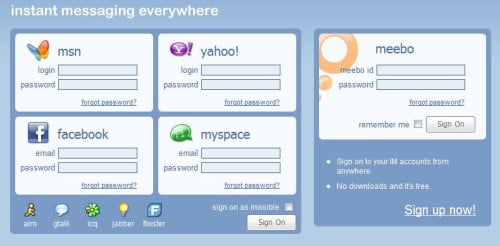
I first found Meebo months ago when I was looking for a web messenger (msn) online. Meebo is a free instant messaging online service, provided at www.meebo.com. It doesn’t require you to install any software to your computer and you can chat / send instant messages online anywhere in the world, as long as you have an internet connection. So if you are on a free terminal at the airport or on places where you are not allowed to install any applications, Meebo is your best buddy online!


Meebo interface is also clean and elegant. The only annoying part is probably the big advertisement banner at the bottom of your screen. However, by a simple click, you can hide it away from your sight.

Meebo supports: MSN, Facebook, Yahoo, AIM, Gtalk (Gmai Talk), ICQ, Jabber, Fixster, and the recently added support for Facebook chat and MySpace.

You are not required to sign up on Meebo.com but if you do, you can retain your meebo settings (background, instant messaging accounts, etc) the next time you login to the service. Or you can simply login to your preferred instant messaging account (such as the web messenger msn).
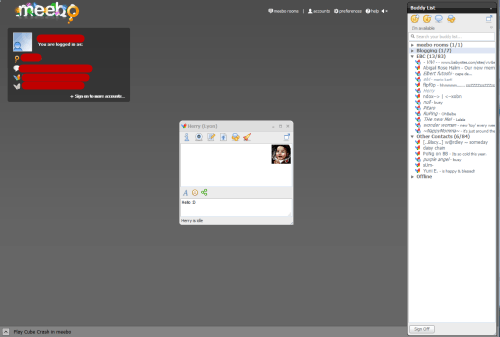
Meebo - web based instant messaging

Whenever you need to chat with your buddies online, don’t forget meebo, especially if you are not on your own computer. With the new addition of MySpace and Facebook chat, Meebo is probably the most complete web based messenger that you’ve ever had!
Bookmark and Share


Subscribe Now

If you enjoyed this post, feel free to subscribe to be notified of new posts at Craving Tech!

{ 9 comments… read them below or add one }

Dian 24 December, 2008 at 4:36 am

Yes i notice there’s a facebook option a couple of days ago, but i cant connect to it how many times i’ve tried it, strange.

btw do you have facebook acc? what’s your nick? if u want u could just add me with my mail :)

Reply to this comment

Dian 24 December, 2008 at 4:37 am

just found it :) i’m bebek at facebook

Reply to this comment

Michael Aulia 24 December, 2008 at 5:56 pm

Have already approved your request :D

Live Wire 24 December, 2008 at 5:54 am

meebo is really nice, especially when windows live acts up and doesnt want to work… meebo comes to the rescue! :)
-jack

Reply to this comment

Michael Aulia 24 December, 2008 at 5:56 pm

True :) Wish that meebo supports WLM/MSN Custom Emoticons though. That’d be cool

Nihar 29 December, 2008 at 12:30 pm

I have used meebo before. Its a very good messenger. Can login multiple accounts.

Reply to this comment

An American in France 29 December, 2008 at 5:05 pm

I’ve been using meebo for about a year now and now it’s all I use. I was sick of getting advertised to heavily by AIM (the popup window that opens when you log in) and sick of yahoo messenger freezing my computer. This all-in-one, never-install-anything im service is my fave.

Reply to this comment

Ann Arbor Web Design 3 January, 2009 at 3:13 am

Meebo does sound interesting; just the thing for all the ‘have-to-be-connected-at-all-times’ people.

Reply to this comment

Michael Aulia 3 January, 2009 at 7:58 am

Just wish that they re-touch the interface. It’s nothing wrong, but it can definitely get some more improvement

Leave a Comment

You can use these HTML tags and attributes: <a href="" title=""> <abbr title=""> <acronym title=""> <b> <blockquote cite=""> <cite> <code> <del datetime=""> <em> <i> <q cite=""> <strike> <strong>

CommentLuv Enabled

Previous post:

Next post:


ss_blog_claim=90a03beb48f2cae080e36591e278f2e0