
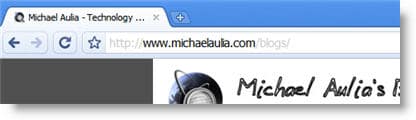
Let’s say you have a website on http://www.mywonderfulwebsite.com. I’m sure you must have realized that people can go to your site by going http://mywonderfulwebsite.com (without the www prefix). In fact, most people are so lazy typing the full path on their browser and normally just type “mywonderfulwebsite.com”. I do this all the time too.
Did you know though that having these 2 “separate locations” is bad for search engines and also for web development purposes? I had this problem with my church website where people couldn’t log in when the URL was typed without the www prefix (cookie & sessions problem).
So here is how you do a permanent redirect (301) of your URL automatically from http to www.
Don’t be intimidated if you don’t understand what a permanent redirect (301) means. It simply means a redirection or a permanent move but it’s very search engine friendly. To do a 301 Redirect from http to www, you need to create an .htaccess file (or modify the current one), add a few lines to the file, and save it on your root folder where you store your website files (normally in a folder called public_html).
How to redirect from http to www
Add these lines to the .htaccess file to redirect from http to www:
RewriteEngine On
RewriteCond %{HTTP_HOST} ^mywonderfulwebsite.com
RewriteRule (.*) http://www.mywonderfulwebsite.com/$1 [R=301,L]
(of course, change the mywonderfulwebsite.com to your real domain name.
Done! Plain and simple. To test and see if it works, type your URL without the www part and see whether the URL changes automatically.
PS: This guide to redirect from http to www is of course, assuming you are hosted on a Linux server.


{ 12 comments… read them below or add one }
Now you have got me worried. In Webmaster Tools you can set your preferred domain. If I have done this do I still have to set a permanent re-direct as you described here? Will the Webmaster Tools bit only help for Google?
Lyndi´s last blog ..WordPress: Possibilities are endless
Hm good question, Lyndi. Unfortunately I don’t know the answer. You seem to set yours without the www? Even if I put http://www.nice2all.com, it still forwards me to http://nice2all.com.
Yes Lyndi. Google only provides such an option. So you have to do a 301 redirect only.
Tech @ InkAPoint´s last blog ..12 Steps to your Blog’s Failure
Thanks. Now I know I have to add that 301.
Lyndi´s last blog ..Weekend Round-Up – 11 July 2009
Thanks for dropping by and helping out, Mr Tech @InkAPoint
Thanks for trying. Maybe someone will come along and help us both.
Lyndi´s last blog ..WordPress: Possibilities are endless
Great tip Mike
Thnx…
Nihar´s last blog ..Friday Night Links Party – 10 July 2009
Michael Aulia, thanks for the tip, i will check it.
Anish K.S´s last blog ..New Talent Awards on Colors
I am a bit “anti” www. I’d wind up doing the exact opposite.
Cole´s last blog ..A break from the usual
I have been meaning to this for a while now. Thanks for the post, maybe I will take care of this once and for all because it is important for seo.
Tycoon Blogger´s last blog ..Promote your blog with a little help from your friends
I’ve gone the other way and redirected all of my domains to http:// instead of www. Simple because I thought it looked better when I was younger and then I’ve continued to use it.
What do you think about www Vs http://?
Umm I don’t really know. As far as I know, they are no different whichever you choose
You just have to pick one