

I’ve been using a WordPress plug-in called WP Greet Box for a while now. WP Greet Box basically detects the visitors of your blog (where they are coming from) and display a custom message to them.
So for example, if a visitor to your blog’s post comes from Digg, the plug-in will display a message specifically for Digg users (with a reminder to dugg back the post). Rather than bombarding your visitors with bookmarking messages, you can target them specifically with this plug-in.
Installation is very easy. Simply search, download, and activate the plug-in. You will have to select which referrer sites you want the plug-in to detect on the Settings, though. Supported referring sites at the moment include sites such as Facebook, Del.icio.us, Digg, StumbleUpon, Technorati, Twitter, LinkedIn, YahooBuzz, Google search engine, and many more.
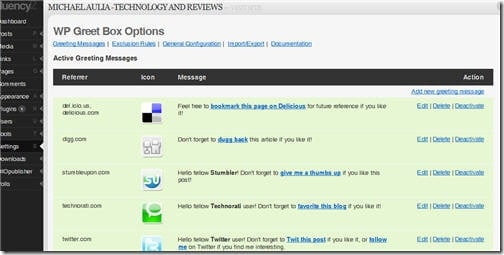
The best part is, you can add your own greeting message or referring sites detection with the WP Greet Box plug-in. For example, you can detect when a visitor comes from my blog to your blog and display the right message to them such as “Hello, visitors from Michael Aulia’s blog. You’ll find my blog better than his and my tech news is more up to date.” (although this is not recommended, ahem).
The greeting message will be displayed, by default, on the top of your post. I highly recommend you to change it to the bottom of the post instead. To do this, you have to disable the automated code insertion on the WP Greet Box’s General Configuration page:
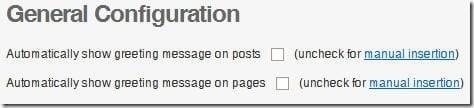
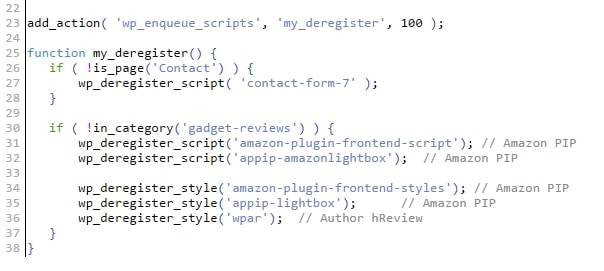
Then simply add this following line where you want the greeting message to appear:

I think it’s more sensible to put it at the bottom of your post. Users are happier to stumble or dugg back your article after reading your post. I find it quite intrusive when I come to a blog post and suddenly I’ve been bombarded with “Subscribe to this blog”, etc when I haven’t even found out whether the blog is to my liking or not. But I guess, if you know your post sucks, you might want to put the greeting message at the top and hoping the visitors to do the action before they read your crappy post :D
To confirm that the plug-in is working, simply go to one of your blog post using a Digg or Twitter link. For example, if you go to my iPod Nano 4th Generation review post from the Digg’s site (so click the link and then click the title of the Digg’s article to go to the post), you should be able to see the WP Greet Box greeting message at the bottom of the post like this:
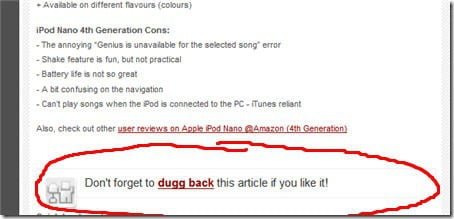
This way, the visitors will be reminded accordingly and it shouldn’t be as intrusive as asking them to digg the post while they are coming from Reddit, for example.
The effectiveness of this plug-in, however, depends on the quality of your post and also the visitors themselves. You may have to change the default greeting messages to make it friendlier and more persuasive. This will be my next homework!
Check out WP Greet Box official site.




Comments are closed.