Razer Megasoma Review

Razer Megasoma is a hybrid of a hard and a soft mouse mat; If you love the softness of a soft mat but want to have the speed of a hard mat, Razer Megasoma delivers (this is debatable and I guess more like a personal preference). Razer Megasoma sits somewhere in between, combining the best [...]

WordPress vs Blogger – who wins?


by Michael Aulia on 3 December, 2009

in Blogging


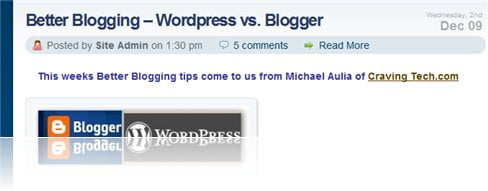
wordpress vs blogger1 WordPress vs Blogger   who wins?

If you are thinking to start your own blog then you might be wondering as to which blogging platform you should go. Most bloggers go for either the Google Blogger or WordPress (the free online service or the self-hosted). Sure there are others, but not as popular as the two.

I wrote a pretty lengthy guest post for Nuffnang Australia’s blog about WordPress vs Blogger yesterday. Please visit the article over at Nuffnang’s blog.

If you know someone who’s having that dilemma, feel free to show him/her the article. Hopefully it can convince him/her somehow as to which platform to go.
Bookmark and Share


Subscribe Now

If you enjoyed this post, feel free to subscribe to be notified of new posts at Craving Tech!

{ 17 comments… read them below or add one }

Diabetis 4 December, 2009 at 12:47 am

I have a bad experience with blogger before so I would always prefer Wordpress over them.

Blogger just deleted my blog back then without even giving me a notice.

Reply to this comment

Michael Aulia 4 December, 2009 at 1:31 am

Ugh, which is why I said on the article that if you get banned for any reason, your whole posts are just gone

kolorowanki dla dzieci 4 December, 2009 at 8:20 am

I all time using Wordpress, interesting article Michael.

Reply to this comment

Lucas 4 December, 2009 at 11:44 pm

I particularly like the blogger platform

Reply to this comment

Michael Aulia 5 December, 2009 at 12:46 am

You should check out the article to find out what you’ve been missing so far :)

Dmytro Muzychenko 6 December, 2009 at 4:57 am

Michael, there’s obviously no contest between Blogger and the self-hosted version of Wordpress (you also have to look at the price differences when using them with a .com domain name – Blogger will host your files for you and you just spend 10 bucks on a yearly domain name while Wordpress demands that you buy a domain name and hosting, which doesn’t come cheap and doesn’t impress the beginning and unsure blogger).

The contest is between Blogger.com (when using it for free and without a custom domain name) and Wordpress.com:

- You have full control of your code in Blogger, just like in the self-hosted version of Wordpress. This allows you to upload any theme. Wordpress.com however, only allows you to use the themes already in their collection and only edit the CSS files.

- You can add plug-ins and hacks to Blogger. Wordpress.com doesn’t allow you to use any plug-ins, and only a dozen widgets that are already in their collection. So awesome stuff like All-in-one SEO plug-in doesn’t come to Wordpress.com users.

- Blogger doesn’t insert their own ads into your posts to “keep the service free for everyone” – it actually ALLOWS you your own Adsense ads (and probably any type of ad). A quick look at Wordpress.com shows that they forbid any users having their own ads and insert snippets of Adsense to “support the service”.

- If ever you decide to go pro with blogging, you’ve got all the advantages. Firstly, if you decide to stay with Blogger, you only have to buy a custom domain name and Blogger will still host your files for free. (Neither Wordpress.org nor .com allow you to do that). Secondly, if you decide not to stay with Blogger but move to the self-hosted version of Wordpress, it’s much easier to export your posts and import them into Wordpress.org. People have had a lot of trouble switching from Wordpress.com to the self-hosted Wordpress.

Wordpress.com still has a better interface and a few more options that don’t require the user to search for hacks made by people. But these improvements are small compared to the limitations that the “free” Wordpress.com imposes on you. Advertisements, lack of control, no plug-ins or extra hacks…

And having your account banned by Google is a very rare case, unless you’re running a porn blog or something. And anyway, if it’s a contest between Blogger.com and Wordpress.COM, both of them keep your files and can delete them at anytime. Like I said, Blogger allows you to easily export your posts at any time.

In case you were about to mention themes, many of Wordpress themes are now being converted into Blogger. Yes, the users need some adjustments and hacks to install and round-about ways to make it work, but it still works. There’s still premium and professional themes for Blogger that look just awesome.

So yes, of course the self-hosted version of Wordpress.com is a hundred times better than Blogger, even with the perk of free hosting, will provide. (I forgot to tell you that I finally went ahead and installed the self-hosted version of Wordpress and think it’s fabulous – I’ll send you an email to tell you about it). But if you’re a beginning blogger who doesn’t want to spend money and is looking for a free system (aka Blogger.com vs Wordpress.com) there’s no doubt which one you should choose.

I think I’ve mentioned all of these during our Gmail chats and emails but I thought I’d share them again. :)

P.S. You can’t even change the permalink on Wordpress.com! It stubbornly inserts the month/day before your title-of-post! There we go again with absolute lack of control.

Reply to this comment

Dmytro Muzychenko 6 December, 2009 at 5:53 am

My bad, I kind of skimmed through the post and didn’t read about how you said that there was no competition between Blogger.com and Wordpress.com. Sorry! However, that just proves my point – any beginner blogger who’s not going to be sure enough of himself to immediately buy a domain name and hosting space will look into Blogger and Wordpress.com. Because of the hype that the self-hosted version of Wordpress always gets, it’s easy for new users to sign up to Wordpress.com instead of Blogger. I was simply explaining how this was the wrong choice, so I guess we have no argument about Wordpress.com :)

A question though: when you used Blogger for the first month, did you have a .com domain name? My guess is no…

Michael Aulia 6 December, 2009 at 8:22 am

Yup, agree to all that. I choose to blog at Blogger rather than at WordPress.com. A self-hosted WordPress, however, is a different story (what I wrote on the post).
But I guess you’ve already “fixed” the comment on the next reply :)

After blogging with the self-hosted WordPress and all of its goodies, I couldn’t stand a day when I tried opening a WordPress.com blog recently. It is simply..lame

Dmytro Muzychenko 6 December, 2009 at 11:01 am

“…lame” HA! You are so right on that one. It was great that I first chose to explore the self-hosted version of Wordpress before going to sign up at Wordpress.com just for fun (thinking that maybe the .com version was better than Blogger after all). After having so much fun and control and ease with the self-hosted version, I felt… imprisoned… by how limited it was! And the lack of plug-ins or uploading your own themes – wow!

Incidentally (and I find this quite weird when I think about it), Wordpress.com had some small features (a Trash folder for deleted posts, integrated blog statistics, and integrated poll and ratings features [without any plug-ins]) that the self-hosted version didn’t have… I realize that the integrated statistics may be a bit of a hassle for blogs that are hosted on their own server, but the rest of it… it would make nice additions, no? Haha, almost makes me wanna write about Wordpress.com vs Wordpress.org… almost. ;-)

Michael Aulia 6 December, 2009 at 7:17 pm

“a Trash folder for deleted posts, integrated blog statistics, and integrated poll and ratings features [without any plug-ins]) that the self-hosted version didn’t have”
Well, the trash folder is a new feature in WP2.9 (I have the Beta 2 installed here). The blog statistics can be installed via the plug-in: http://wordpress.org/extend/plugins/stats/
The poll/ratings should be available as plug-ins too but I’ve never tried to find out although I’ve been using a nice poll plug-in here on this blog too

Michael Aulia 6 December, 2009 at 8:23 am

Nah I didn’t. Which is probably what new bloggers should do unless of course, if they know that it’s going to be long-term and they are going to have their own domain name. If that’s the case, might as well go for the self-hosted WordPress option.

Last time I already had my michaelaulia.com but since I was new, I didn’t realize the potential of a self-hosted WordPress, so I chose Blogger as my first platform (without properly doing a research!)

Reply to this comment

Dmytro Muzychenko 6 December, 2009 at 11:23 am

I would like to point out some features that you mentioned that Wordpress has and that Blogger doesn’t:

*** “You can’t create categories on Blogger” – this isn’t true, actually. Guess Blogger has been getting some updates you haven’t noticed? ;-) Blogger allows you to put posts in categories, but they call it “labels”. What Blogger doesn’t have (and perhaps you were trying to say this) is both categories (or labels) and tags. ProBlogger has an excellent article about the advantages of using categories and tags effectively (http://bit.ly/4Eu1Nd), and unfortunately, you can’t do that with Blogger. Blogger has only labels, but it’s better than nothing, and they’re just as good as categories (or tags, depending on how you use them) in Wordpress.

*** “Static Pages” You can easily just write whatever content you’d put on a Wordpress page, paste it into a Blogger post, and link to it in the navbar. Plus, just by changing the date, you can put all your “pages” at the very end of the archive so they don’t get mixed in with actual posts. Not as convenient perhaps as in Wordpress, but same purpose, and same result. Plus, most Wordpress themes automatically put every page you have in the navbar – I like how Blogger manually (and easily, haha, cause manually is often a synonym for hard-to-do) allows you to add the links you see in the navbar. I dunno, maybe Wordpress has some plug-in for that, but thought I’d mention it anyway.

***”Multiple pages in a post” I don’t get this one… at all. Sorry, haha, maybe I’m just tired today, but how can you have pages in a post? Like different parts (example: “Title” – Part 1, “Title” – Part 2) or different sections within the post? Both of these can easily be achieved in Blogger…. so what do you mean?

***”Themes” There’s good themes and bad themes, free themes and premium themes, both in Blogger and Wordpress. It’s simply the plug-ins (which I’ll gladly agree, are better and easier to install in Wordpress) that make the themes so “perfect” and customizable. However, in terms of tweaking, Blogger (unlike Wordpress.com, which I have now started to possess a hate for) allows you full control of the code, just like in the self-hosted version.

Also, for anyone who was planning to bring up the point about Blogger allowing you to choose from only 8 themes when you start, that argument is old and useless now, when there’s so much themes you can download made by “unofficial” users. Just cause Wordpress allows you to post your theme in their collection and make it seem official, doesn’t mean it’s different than Blogger. I know you weren’t talking about this Michael, this is just for anyone who is still under the false impression of Blogger and lack of themes.

***”Full control of everything” – I’ve already mentioned how you can edit the themes. It’s true that Wordpress allows you control outside of themes (like the way it generated posts or something) but you’d have to know PHP, and if you’re so pro at code, then you might as well buy yourself a domain and hosting instead of going with Blogger, right?

***”Newer features every few months” – I’ve only started using Wordpress, so I might be wrong, but aren’t most of the updates to tweak bugs and fix security issues, not so much features-wise? And yeah, you’re right Blogger doesn’t have a lot of new updates, but when they do update, it’s usually big (for Blogger users) – like having an inline comment form and exporting posts easily.

***”Plugins” There’s a lot of Blogger hacks out there written by awesome users, and I know they’re not as easy to install or send you an update alert on a new version, but they work in the same way. In fact, in terms of tweaking the code, it’s easier to do in Blogger than go through the Editor in Wordpress to edit plug-in code.

All in all, I still believe and agree with you that the self-hosted Wordpress is obviously better than Blogger, but I thought I’d give Blogger a fair chance anyway (just because of how much stuff I know about it due to all the time I spent tweaking various Blogger themes and plug-ins) and correct you on a few features that you thought Blogger was still lacking. :-)

EDIT: Yeah, I know, I have a lot to say on Blogger, and as soon as my blog is launched, you can expect to see me to write one lengthy super post about this, that will end all confusion! Hahahaha maybe not, just dreaming here. :D

EDITEDIT: I noticed you have your profile pic and author description at the end of every post – did this come with Thesis or did you specifically want it because you’ll be introducing other authors to your blog and/or allowing visitors to register and become a member?

Reply to this comment

Michael Aulia 6 December, 2009 at 7:22 pm

lol yes, you should write up a post about Blogger with your comment

As for the pages in a post, you can look at an example on my Migrating from Blogger to WordPress. At the bottom of the post, you’ll see “Page : 1 2″ to go to the next page of the post.

As for the profile pic and author description, it’s easy to add it in on the Thesis and most bloggers have this. I’m not sure yet whether I’ll allow guest posters in the future but it just looks cool and…. er..narcissistic? :D

Reply to this comment

Dmytro Muzychenko 7 December, 2009 at 4:32 am

Oh!! Wow… never in my life knew about that feature… how do you add it? Totally must’ve missed it in the interface! It’s not very noticeable though (when published), I almost missed the page links at the end what with the ads, related posts, share buttons, etc. I still don’t see how they could come into use unless your post is really long, and in that case (to me), it would just be better to create a new post and have “– Part 1″ and “–Part 2″ at the end of the title. I believe you may have done so yourself on some posts, no?

Grr, now you got me reading that post again and tempting me to reply to it haha! :P

And yes, it is narcissistic, but as it is your blog, that is a good thing! :P Even I’d like to see my own name at the end of every post. :-) Plus it gets the readers more acquainted with the author of the blog… hmm, you totally got me convinced now haha!

Reply to this comment

Michael Aulia 7 December, 2009 at 8:39 pm

Yes I found that the paging feature on a single post isn’t really helping much. You either split the post into multiple parts like you said or just put the whole thing into a single long post.

I found by observation that not many people wanted to go to the next page (or maybe it was my poor writing skills? :D )

Reply to this comment

Dmytro Muzychenko 8 December, 2009 at 3:23 am

Haha, no your writing skills are absolutely fine, save for a few grammar mistakes here and there (is English your second language? I feel as though I should know this, but I totally forgot). In any case, just take a look at WoorkUp (previously known as Woork) – the author, Antonio, makes plenty of mistakes but that doesn’t stop people from coming to read his blog posts. :P

Like I said, the page links are not noticeable at all, unless you say at the end of your post “Go to the second page to view the rest of this page” and that defeat the whole purpose, you might as well just make a normal link to “– Part 2″.

There’s also little indication that there’s a part that follows the first one. Visitors may get initially confused as to why the post ends so abruptly, but shrug their shoulders and just go elsewhere to find their info.

About long posts – it may seem to you that readers might get bored or tired of such a long post, but if the content is good and justifies the length, people will keep on reading. Steve Pavlini runs a blog about psychology and “personal development” and his posts are huge – but some of them are really good and helpful and you’re actually *glad* that they’re long. :P So it all depends.

Reply to this comment

Michael Aulia 9 December, 2009 at 10:01 pm

Yeah, English is not my first language. In fact, I used to get a 5/10 for my English writing skills :)

I feel amazed though at how my blog can become like this even though my English is a so-so… I guess as long as it’s not too many and not too annoying, people can still tolerate

Reply to this comment

Leave a Comment

You can use these HTML tags and attributes: <a href="" title=""> <abbr title=""> <acronym title=""> <b> <blockquote cite=""> <cite> <code> <del datetime=""> <em> <i> <q cite=""> <strike> <strong>

CommentLuv Enabled

Previous post:

Next post:


ss_blog_claim=90a03beb48f2cae080e36591e278f2e0