

I was trying to upgrade this blog to WordPress 2.8 Beta 1 earlier. Everything went well until the step of upgrading the database was completed: the famous WordPress’ white screen of death. It happened when I tried to enter the WordPress’ administration area.
If you are here because you get a white screen (blank screen) after a WordPress upgrade, here are some useful tips to get you out of trouble.
If everything was fine before you upgraded, then there is a higher chance of an active plug-in being incompatible with the new WordPress version. If you only have a few plug-ins, then you are lucky. You can simply download all of your plug-ins from your WordPress plug-in files (usually under wp-content/plug-ins) and then delete them from your WordPress’ server folder. This will deactivate all active plug-ins on your WordPress blog.
If you have lots of plug-ins like I do, then you need to do harder steps to deactivate all active WordPress plug-ins in one go.
How to deactivate all WordPress plug-ins when white screen appears
- Go to your hosting control panel and access PHPMyAdmin to view & edit your database manually.
- Go to your WordPress database.
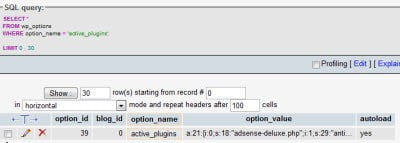
- Run this SQL query to grab the setting of the active plug-ins:
SELECT * FROM wp_options WHERE option_name = ‘active_plugins’;
It will return an entry on the table wp_options containing the current active plug-ins.
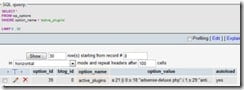
- Edit it (clicking on the pencil icon), then open your Notepad/Wordpad , and make a backup of the values on the option_value column.
- After you have a backup of the values, delete the values (NOT the table entry). Simply highlight the content of the option_value and press the DELETE button on your keyboard. Then save it. This will quickly deactivate your plug-ins completely.
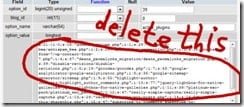
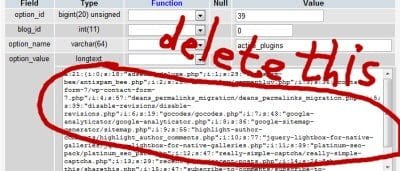
Now, try to access your WordPress administration again. Everything should be alright now :) If not, try re-uploading all the files again as there might be a possibility of incomplete files being uploaded.
I was having a problem earlier with this Google Analytics plug-in:
Plugin Name: Google Analytics
Plugin URI: http://www.semiologic.com/software/marketing/google-analytics/
Description: Adds <a href=”http://analytics.google.com”>Google analytics</a> to your blog, with all sorts of advanced tracking toys enabled.
Author: Denis de Bernardy
Version: 2.4
Author URI: http://www.semiologic.com
The plug-in appears to be incompatible with WordPress 2.8 Beta 1. So if you’ve got a blank screen, check whether you are using this plug-in on your blog first before everything else. A user also reports that the WordPress Related Posts plug-in is also not compatible with WordPress 2.8 Beta 1.
Any horror stories when upgrading your WordPress? :)





Comments are closed.