Razer Megasoma Review

Razer Megasoma is a hybrid of a hard and a soft mouse mat; If you love the softness of a soft mat but want to have the speed of a hard mat, Razer Megasoma delivers (this is debatable and I guess more like a personal preference). Razer Megasoma sits somewhere in between, combining the best [...]

Opera reinvents the web with Opera Unite


by Michael Aulia on 16 June, 2009

in Software Release


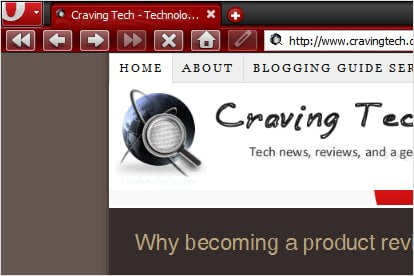
opera reinvent the web

That was the teaser page before we find out that Opera releases a new innovation called Opera Unite a few hours ago. It’s basically a collaborative technology that makes your computer a server on its own. You can then access services on your computer from other computers around the world (that includes your friends and public access, if you allow them to).

I’m still having problems with setting Opera Unite up, so feel free to play around with it yourself until I can get this fixed. I’ve tried forwarding Port 8840 as suggested on my router but it doesn’t seem to do anything. So feel free to try Opera Unite yourself. The concept is very interesting and worth having a look! I’ll write up a good post about it once I can get it working!
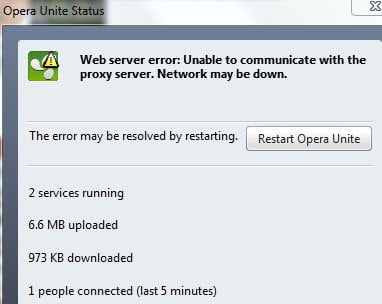
opera unite proxy server problem

Read the blog post from Opera’s blog about Opera Unite release.
Bookmark and Share


Subscribe Now

If you enjoyed this post, feel free to subscribe to be notified of new posts at Craving Tech!

{ 3 comments… read them below or add one }

Megaphase.info 17 June, 2009 at 5:10 am

It seems like this opera unite service (that allows for file sharing) would be better than using a svn server for my small programming project this summer.

Reply to this comment

Harsh Agrawal 20 June, 2009 at 3:11 pm

i personally installed this application after the launch and find it to be great. I don’t have hispeed constant connection else I would be creating a web server from my home. Though I have created a URl To share my music collection with my friends.. :)

Reply to this comment

Michael Aulia 21 June, 2009 at 12:27 am

I hope you are not planning to move your blog to your home computer :D

Leave a Comment

You can use these HTML tags and attributes: <a href="" title=""> <abbr title=""> <acronym title=""> <b> <blockquote cite=""> <cite> <code> <del datetime=""> <em> <i> <q cite=""> <strike> <strong>

CommentLuv Enabled

Previous post:

Next post:


ss_blog_claim=90a03beb48f2cae080e36591e278f2e0