
Microsoft has decided to release the next extra contents available only to Windows Vista Ultimate users.
The new available extras are:
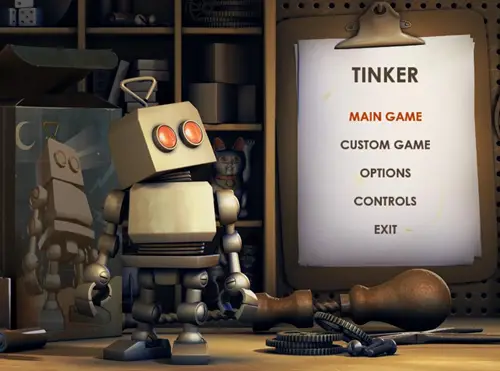
- A new robot puzzle game called Windows Tinker
- A new sound set “Tinker” based on the game
- 3 New Dream Scene wallpapers
First of all, I’m lucky that I don’t have to pay a cent for Windows Vista Ultimate since I got it for free legally. Man, I’ll be pissed if I had to spend a few hundreds more to Microsoft just to get some extra sounds, wallpapers, and games!
Windows Vista Tinker Puzzle Game
Microsoft Tinker is a puzzle game. You are a robot and have an objective to go to a designated area. The problem is that you only have limited amount of batteries (turns) and there are obstacles on your way to the marked area. Well it’s fun and the graphics are nice to see.
Windows Vista new sound set “Tinker”
The sound sets give a fresh new sound theme for your desktop experience. It’s “metallic” and “robotic”, if you like that sort of thing.
Windows Vista three New DreamScene Wallpaper Pack #4
Not a very good one, in my opinion. And it’s more like 1 DreamScene Wallpaper in different “colour” variations.
All in all, not a bad extras, but I guess it still won’t satisfy Windows Vista Ultimate customers for paying a few hundreds more for the Ultimate edition.
To update your Windows Vista with these extras, go to your “Windows Update” (just type the words on your Windows Start search textfield).


Comments are closed.