Myna, a free online audio editor
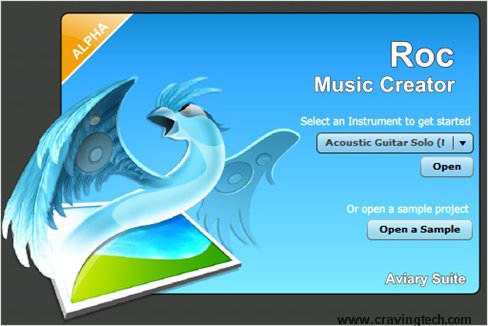
If you can’t afford buying a commercial audio editing tool such as Adobe Audition or don’t want a hassle of installing a free one such as Audacity, there’s always another alternative available. Use Myna, a free online audio editing tool from Aviary.
What you need is just a browser (along with your audio files that you are planning to edit, of course), to start editing audio files.
Myna Features
Powerful Clip Editing
Trim, Loop, Stretch and Reverse your audio clips, width editable loop points, and interactive time stretch capabilities.
Easy Automation
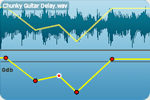
Add fade-ins, fade-outs, pan from left to right, and modify gain over time, with editable control points.
Apply Effects

Add non-destructive effects to your audio clips including Pitch Change, Reverb, Delay, Parametric EQ, and more.
File Portability

Import / Export your own audio files, or browse thousands of professional libraries courtesy of APM Music. Mix it down and export directly to your desktop or publish back to your Aviary account.
Check out the video about Myna below:

|
To get the latest posts on this blog, subscribe via your favorite RSS feed reader (What is RSS?) or by entering your email address on the form below: |


Thanks for sharing this site. Will go and see how it works.
Diabetis´s last blog ..Accu-check Compact Plus Meter Kit
I personally LOVE the Aviary webapp suite. I’ve been with them (although not very active) from when they first released Phoenix and Peacock (their two image editors).
While I already have a copy of Sony Acid Pro 7.0, I’m sure Myna will be fantastic for some of the more simple edits I do (I do a bit of music mixing… listen to http://bit.ly/musemix for an example).
Yeah I loved the Phoenix when it was first released. I mean, we all can use GIMP as a free alternative to Photoshop, but sometimes we are in a network cafe and it may not have the necessary tools
I’ve never heard of this, I definitely have to check it out. I’m working on an article for sound sources and editing programs for flash games, I’ll likely include this. Thanks for pointing it out, now to go check out that bladeless fan I saw.
Porter´s last blog ..What Not To Do (Vol 3)
This is cool! I use Nero to edit audio files but it’s only installed in my PC. I could use this Myna on my laptop to edit my audio files anywhere I am.
Marlene´s last blog ..Fading Like A Flower?
and you can use the Aviary “Phoenix” to edit images anywhere you are
On a similar note, http://www.pixlr.com/app/ is another great free in-browser photoshop mock-up, and requires no login.
Salem´s last blog ..Using Skype + Google Voice for Free Calls!