
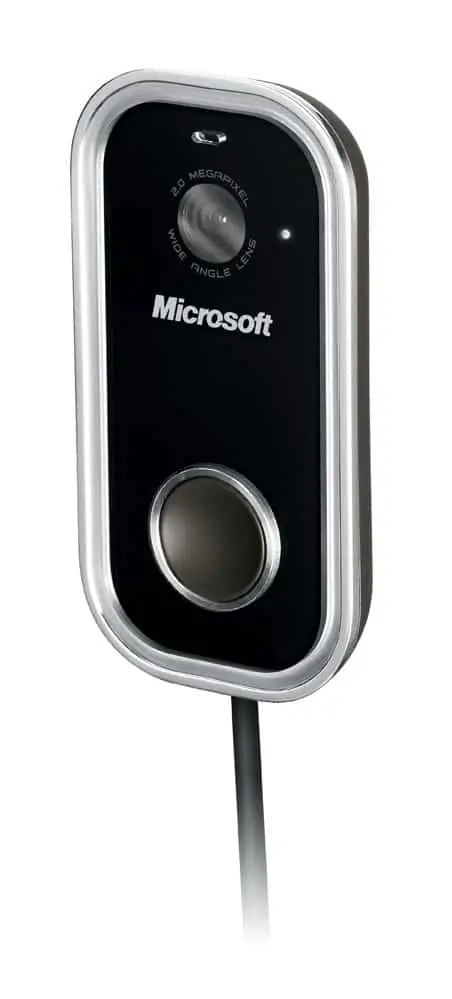
Many webcams nowadays don’t follow the standard in terms of design and shapes. Some companies stuffed a camera into a cute plushy toy and some went for a more futuristic look. Unfortunately, you can’t just judge a book by its cover. These cute webcams often deliver very standard image qualities and bad lighting tolerance for a video chat, often happens in your very own bedroom.
Despite of its ordinary look, Microsoft Lifecam Show is one of the best webcam in the market for a video chat and also for online video commenting with its high quality camera and a built in noise-cancelling microphone.
Read more to find out about its features and also some screenshots on this Microsoft LifeCam Show review post.
Microsoft Lifecam Show Looks
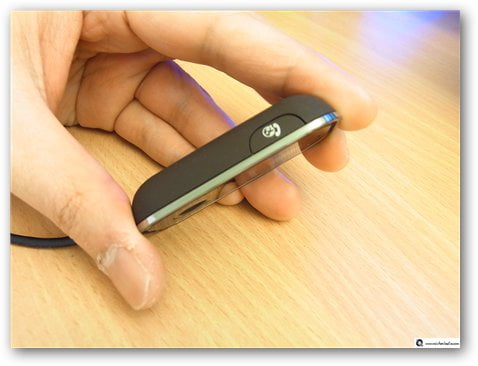
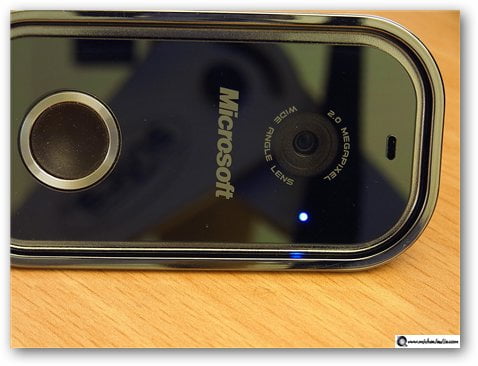
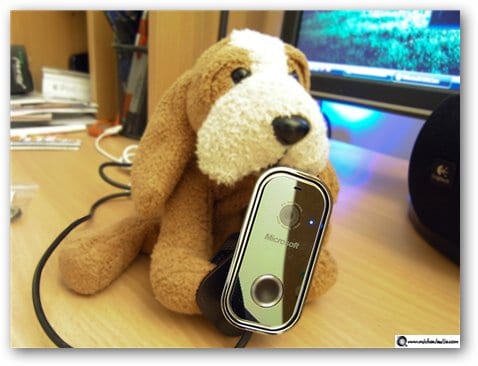
As mentioned, Microsoft Lifecam show delivers a pretty standard look however a slim one. A sleek and slim design means greater mobility and mobility is good, especially for notebook users. On the left is a photo I took to show how slim Microsoft Lifecam show is.
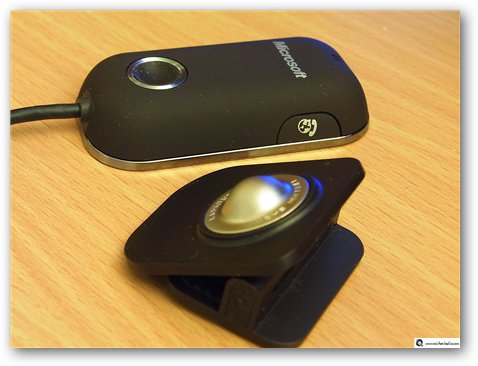
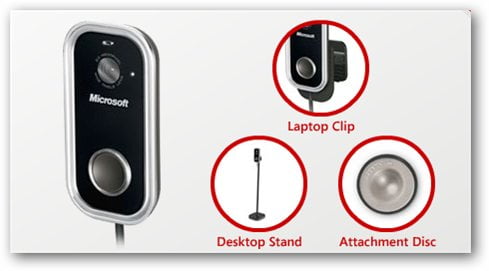
Microsoft Lifecam Show package also comes with a few attachment systems such as a Laptop Clip, a Desktop Stand, and also an Attachment Disc. With the Laptop Clip, you can clip the webcam easily to the top of your notebook monitor. With the Desktop Stand, you can position the webcam on a high ground anywhere on a surface, perfect for a Desktop setting. With the Attachment Disc (you can stick it on any surface you like), it is perfect for any conditions as it provides the maximum flexibility.
The webcam has a part that’s magnetized which will fit & hold nicely on any of the attachment system you choose. Since I only have a Desktop computer, I chose the Desktop Stand as my attachment. The Laptop Clip couldn’t fit my 22″ LCD Widescreen monitor and I didn’t really want to stick the Attachment Disc on the back of my monitor.
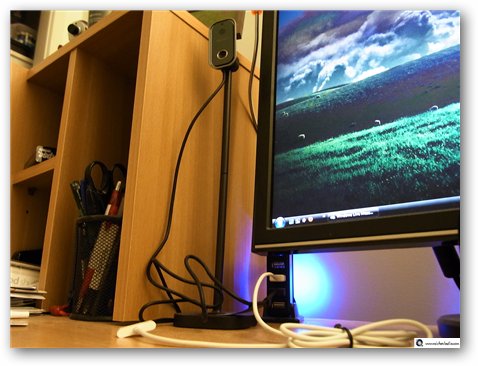
When the webcam is being used, you will see a dim blue light. Unfortunately there is no “turn off” button but it appears that the webcam is being turned off automatically (or at least being put into the standby mode) whenever there is no application using the webcam. So whenever you are doing something “funny” in front of your computer, like walking naked from the bathroom to your bedroom’s wardrobe, make sure you have closed all webcam applications or check the blue light before you walk pass it :D
Microsoft LifeCam Show Features
World Class High Definition Optics and 2.0 MP sensor.
Making sure the webcam delivers a focused high video quality even in a low-lit room environment.
Optimized for Windows Live Messenger
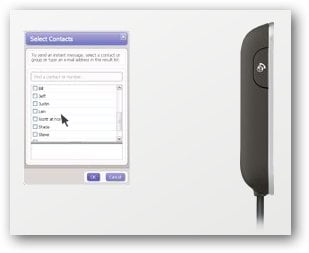
You can easily start a video chat with your Live Messenger contact using the “Windows Live Call” button on the webcam although you can do the same thing from the Windows Live Messenger interface. It’s optimized for Windows Live Messenger, but it doesn’t mean that it won’t work anywhere else. You can use the webcam on Skype or any other applications on your PC.
Bulit-in microphone
I’m very impressed with the microphone built into the webcam. With the noise cancellation feature, the LifeCam Show gives a crystal clear audio performance. I didn’t expect a webcam microphone to be this good, really. I was testing it while playing Left 4 Dead (a First Person Shooter game) with my friends. They told me that the voice was as clear as when I was using a headset with a microphone. I didn’t even have to shout to make my voice heard. It’ll be interesting to test LifeCam Show’s microphone on a noisy environment though (I was testing this inside my quiet and peaceful bedroom)
Easy to record video messages
Using Microsoft LifeCam software, recording a video message for your family or even publishing a video comment is just a simple click away. When you run the application, it will show you what the webcam sees and you can also tweak the webcam settings.
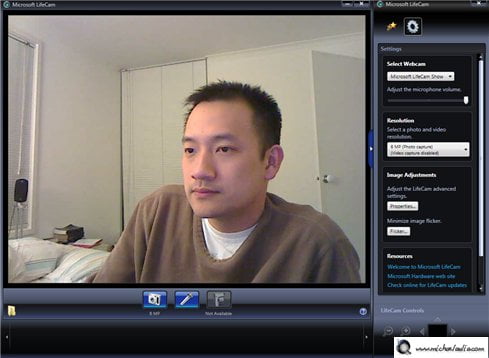
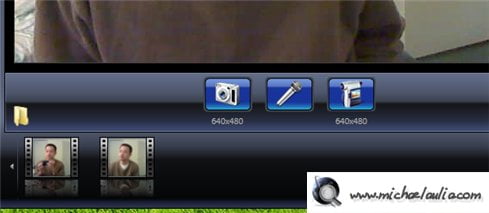
To start recording a video, you simply click on the “Start video capture” button and off you go! The video will be auto-saved on a folder and easily accessible by clicking on the folder icon. You’ll also see all videos that you’ve taken in the past in thumbnails list mode.
Windows Live Video Messages Service
Left video messages through the free Windows Live Video Messages service online. When your friends or family are not around for a video chat, you can leave a video message to them through the Windows Vista gadget or through an online portal at http://videomessages.live.com. Once you record a video, your friend will be notified by email so they can login anytime and see your video message (assuming they have a Windows Live login). It’s like having an answering machine but more personalized! They don’t need anything to view your video messages, although they have to install Microsoft Silverlight, available for free.
I’m gonna start trying to shoot some cheesy Happy Birthday videos for my friends pretty soon :)
Facial Recognition, allowing fun effects
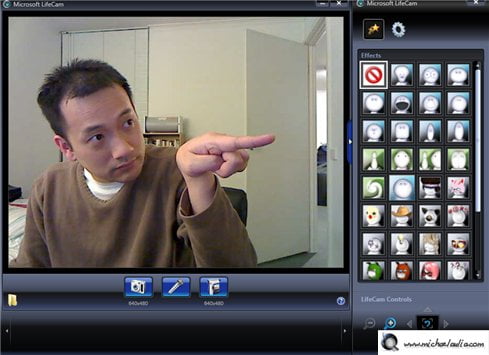
Microsoft LifeCam Show also supports facial recognition, meaning it can recognize the contour of your face and put an effect layer on parts of your face. It will smartly detect your eyes, your nose, and even the your whole face contour. Check out some video effects from my screenshots below:







So yeah, those effects are fun and guarantee some laughs (the Large Mouth effect is my favorite) but I think the novelty wears off pretty quick once your friends have seen them.
Also, the facial recognition is not 100% perfect yet as you can see from my screenshots below when I tilted my head on a certain angle:


Microsoft LifeCam Show Review Conclusion
Microsoft LifeCam Show (RRP at AU$149.95) is the ultimate webcam from Microsoft at the moment this post is written. It delivers a high quality video as much as a solid sound output with its built-in noise cancelling microphone. The webcam is always on standby mode (assuming you leave it connected on the USB) and automatically turns on whenever you use start a video chat (on Live Messenger, Skype, etc).
Using the LifeCam driver/software, Microsoft LifeCam Show also supports fun video effects that recognize the contour of your face. Since the effects are software emulated, expect to have new video effects on future LifeCam software release. The facial recognition is not perfect yet though so some effects will look dodgy if you turn your head on a certain angle. Nevertheless, these effects are fun to try, especially to a friend (or a family member) who has never seen it before.
With its built-in microphone, you probably don’t need to use your headset anymore because the microphone works and sounds really well even if used in-game.
The Microsoft LifeCam Show also comes with different attachment systems that cater both notebook and desktop PC users. The attachments use magnets, allowing you to switch to different attachment systems with ease, yet sturdy.
Compared to the other webcams that I’ve tried in the past, Microsoft LifeCam Show is the best to offer in terms of both video and sound quality so far!


Comments are closed.