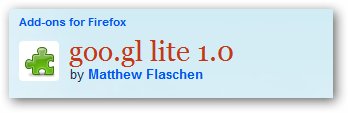
As we all know it, Google has its own URL shortening service called goo.gl. At the moment, you need to have a Google Toolbar in order to use the URL shortening service. However, with a Firefox extension called “goo.gl lite”, you’ll be able to use goo.gl without having to install the Google toolbar!
How to use Google URL shortening service, goo.gl without installing Google Toolbar
- Go to goo.gl lite extension page.
- Download and Install the extension.
- Add the extension icon to your toolbar (Right clicking on the Firefox toolbar area and choose “Customize”)
- Whenever you want a URL to be shortened with goo.gl, click on the icon to shorten it.
Unfortunately this extension doesn’t seem to work on my Mozilla Firefox 3.6 Beta 5. Can someone confirm that this extension works on Firefox 3.5?



{ 9 comments… read them below or add one }
great add on from firefox, now tweeting can be more save the character right??
I am going to try this now. What google needs to do is get their hands on a two letter domain with a two letter tld, like go.gl. That would be really short.
Edit: It seems to not be working. I am clicking on the button and nothing is happening.
Are you using Firefox 3.5?
This work fine with 3.5 and their is also a similar Chrome extension available I think.
Arafat Hossain Piyada´s last blog ..Following Microsoft Virus Scanning Advice May Push You In Danger (Security Alert)
Wow I was writing on the same topic. But you have already shared it. Anyway thank you for sharing it.
Ricky´s last blog ..Get Your Favorite Twitter Tweets Via SMS-Twitter Keyword Search
I am the author of the extension ( http://devilsworkshop.org/use-bookmarklet-for-goo-gl-url-shortener/#comment-131661 ). It works for both 3.5 and 3.6. See http://devilsworkshop.org/use-bookmarklet-for-goo-gl-url-shortener/ . Note that the extension should copy the URL directly to your clipboard. You will not see an alert box or similar.
I put the same link twice above by mistake. The link to the extension itself is https://addons.mozilla.org/en-US/firefox/addon/55308/ .
Thanks for coming over, Matthew. I was using version 1.1 before so that might be the cause of it not working on my 3.6 Beta.
Michael, before 1.2 it wasn’t marked as compatible with 3.6.*. However, it would still have worked if you forced installation.