Autocomplete search in Gmail

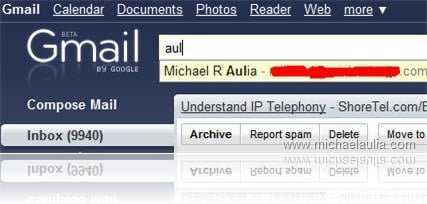
In Gmail, you can search for an email subject/body text and even a sender/recipient’s name/email address. The Gmail developer team has made it even easier to search with the new Auto complete search results.
Just like in Windows Vista or Windows 7 (where you type a partial name of the application on the Start search area), you simply type part of the words to search and the result will appear automatically underneath the search form.
You can also use the search advanced operators to do a more powerful search. This new feature doesn’t seem to slow my Gmail much, considering there are at least 9940 emails as you can see from the screenshot. The search engine comes from the almighty Google and it never disappoints!
To enable the new Autocomplete Search form, click on the Gmail lab icon (the green apparatus icon) on the top of your Gmail.
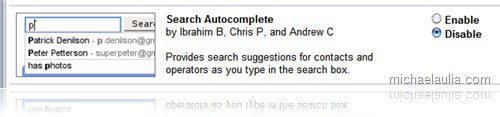
Do a search on your browser for “Search Autocomplete”, enable the feature and save the changes.
To read more about the release, head off to Gmail’s Blog.

|
To get the latest posts on this blog, subscribe via your favorite RSS feed reader (What is RSS?) or by entering your email address on the form below: |


really Google almighty god for any type of search, google provides tremendous and brilliant searching service and best features in Gmail.
Like in firefox address bar. Another point for gmail.
Gry dla Dzieci´s last blog post..Mrówki!
Wow, google searches is always around. That is a nice feature for those who have large number of contacts.
Tnomeralc Web Design Toys´s last blog post..Tejeros Convention In General Trias
This is a great feature added. Will check it out. DIn’t send any email from last 2 days. so don’t know…
Nihar´s last blog post..Demonoid Private Torrent Tracker – Registrations are open!!
I love auto complete on alot of things. It saves me alot of typing and I am a lazy person. It is to bad that I don’t use gmail.
Megaphase.info´s last blog post..Alternate method of form error messages in VisualBasic.net
i love to use Gmail. it givs you alot of customization. auto search is great addition. very friendly & save alot of time.